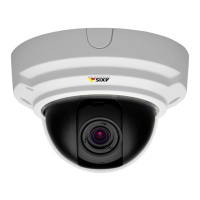
AXISP33/-VSeriesFixedDomeNetworkCamera
Amber
Steadyforconnectiontoa10Mbit/snetwork.Flashesfor
networkactivity.
UnlitNonetworkconnection.
PowerLEDIndication
Green
Normaloperation.
Amber
Flashesgreen/amberduringrmwareupgrade.
ConnectorsandButtons
Forspecicationsandoperatingconditions,seepage14.
Note
NotethatAXISP3354doesnotsupportaudioorI/Ofunctionality.
NetworkConnector
RJ45EthernetconnectorwithPoweroverEthernet(PoE).
NO NO
NO
TICE TICE
TICE
ValidforAXISP3354andAXISP3364–V:
Theproductshallbeconnectedusingashieldednetworkcable(STP).Allcablesconnecting
theproducttothenetworkshallbeintendedfortheirspecicuse.Makesurethatthe
networkdevicesareinstalledinaccordancewiththemanufacturer’sinstructions.For
informationaboutregulatoryrequirements,seeElectromagneticCompatibility(EMC)on
page2.
NO NO
NO
TICE TICE
TICE
ValidforAXISP3365–V,AXISP3367–VandP3384–V:
Duetolocalregulationsortheenvironmentalandelectricalconditionsinwhichtheproduct
istobeused,ashieldednetworkcable(STP)maybeappropriateorrequired.Allcables
connectingtheproducttothenetworkandthatareroutedoutdoorsorindemanding
electricalenvironmentsshallbeintendedfortheirspecicuse.Makesurethatthenetwork
devicesareinstalledinaccordancewiththemanufacturer’sinstructions.Forinformation
aboutregulatoryrequirements,seeElectromagneticCompatibility(EMC)onpage2.
12



 To Next Page
 Loading...