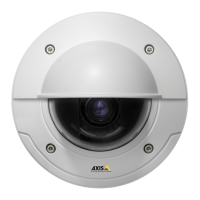
AXISP3365-VEFixedDomeNetworkCamera
AccesstheProduct
TheSnapshotbuttontakesasnapshotofthevideoimage.Thelocationwheretheimageissavedcanbespecied
intheAMCControlPanel.
ClicktheViewFullScreenbuttonandthevideoimagewilllltheentirescreen.PressESC(Escape)onthecomputer
keyboardtocancelfullscreenview.
TheRecordbuttonisusedtorecordthecurrentvideostreamonyourcomputer.Thelocationwheretherecordingissaved
canbespeciedintheAMCControlPanel.EnablethisbuttonfromLiveViewCong>ViewerSettings.
AMCAudioControls
AMCaudiobuttonscontrolthespeakersandmicrophoneconnectedtotheclientcomputer.Thebuttonsareonlyvisiblewhen
audioisenabled.
Forinformationabouthowtocongureaudio,seeSetUpAudioonpage26.
Speakerbutton—Clicktoturnthespeakersonoroff.
Microphonebutton–Clicktomuteorunmutethemicrophone.InSimplex-speakeronlymode,theMicrophoneandTalk
buttonsmustbothbeactivetosendaudiototheAxisproduct.Clickeitherbuttontostopaudiotransmission.
Usetheslidertocontrolthevolumeofthespeakersandthemicrophone.
Half-duplexmode
TheTalk/Listenbuttonisusedtoswitchbetweensendingandreceivingaudio.Thebuttoncanbecongured
fromtheAudiotabintheAMCControlpanel:
•Push-To-Talkmode:Clickandholdthebuttontotalk/send.Releasethebuttontolisten.
•Togglemode:Clickoncetoswitchbetweentalkingandlistening.
Simplex–speakeronlymode
Tosendaudio,theTalkandMicrophonebuttonsmustbothbeactive.Clickeitherbuttontostopaudio
transmission.
Note
ThesecontrolsareavailableifdigitalPTZisenabledintheselectedviewarea,seeViewAreaonpage23.
WiththePTZControlQueueenabledthetimeeachuserisincontrolofthePTZsettingsislimited.Clickthebuttonstorequestor
releasecontrolofthePTZcontrols.ThePTZControlQueueissetupunderPTZ>ControlQueue.
ClicktheEmulatejoystickmodebuttonandclickintheimagetomovethecameraviewinthedirectionofthe
mousepointer.
ClicktheCentermodebuttonandclickintheimagetocenterthecameraviewonthatposition.
Thecentermodebuttoncouldalsobeusedtozoominonaspecicarea.Clickintheimageanddragtodrawa
rectanglesurroundingtheareatobemagnied.Tozoomout,rotatethemousewheel.
ClicktheCtrlpanelbuttontoopenthePTZcontrolpanelwhichprovidesadditionalPTZcontrols.
User-denedbuttonscanalsoappearintheControlpanel.SeeControlsonpage31.
Toviewaspecicviewareaorpresetposition,selectitfromtheSourcelist.
PanandTiltbars–Usethearrowstopanandtiltthecameraview,orclickonapositiononthebartosteerthecameraviewto
thatposition.
Zoombar–Usethearrowstozoominandout,orclickonapositiononthebartozoomtothatposition.
13



 To Next Page