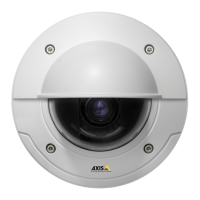
AXISP3365-VEFixedDomeNetworkCamera
VideoandAudio
Formoreinformation,seetheonlinehelp
Important
Addingmanyprivacymasksmayaffecttheproduct’sperformance.
Focus&Zoom
Focusandzoomshouldonlybeconguredwheninstallingorreinstallingtheproduct.
Forinstallationinstructions,refertotheproduct’sInstallationGuide.
Tosetfocusandzoom:
1.InstallthecameraasdescribedintheInstallationGuide.
2.GotoVideo&Audio>Focus&Zoom.
3.OntheBasictab,setthezoomlevelusingtheslider.Thebuttons<and>movethezoompositiononestepineither
direction.Thebuttons<<and>>movethezoompositioninmultiplestepsineitherdirection.
4.ClickPerformautofocustofocusthecameraautomatically.
5.Ifmoreadjustmentsareneeded,gototheAdvancedtab.
Note
•Changingthezoomlevelmovesthefocusposition.Focusshouldalwaysbeadjustedafterchangingthezoom.
•Movementsinfrontofthecamerashouldbeavoidedduringautomaticfocusing.
OntheAdvancedtab,focuscanbeadjustedmanually:
1.ClickOpeniristoopentheiristoitsmaximumposition.Thisgivesthesmallestdepthofeldandprovidesthebest
conditionsforfocusing.
2.FocusissetintheFocuswindow.Usethemousetomoveandresizethefocuswindow.
3.ClickintheFocuspositionbartofocusonadesiredlocation.Thebuttons<and>movethefocuspositiononestepin
eitherdirection.Thebuttons<<and>>movethefocuspositioninmultiplestepsineitherdirection.
4.Whensatised,clickEnableiristoenabletheiris.
SetUpAudio
Tochangetheproduct’saudiosettings,gotoVideo&Audio>AudioSettings.
Eachstreamproleisaseparatevideostream.Toincludetheaudiostreaminallstreamproles,gototheaudiotabineachstream
prolesettingspageandenableaudio.Formoreinformation,seeStreamProlesonpage21.
Ifyouhaveenabledviewareas,rememberthateachviewareaisaseparatevideostream.Toincludetheaudiostreaminallview
areas,gototheaudiotabineachvideostreampageandenableaudio.FormoreinformationseeViewAreaonpage23.
AudioModes
TheAxisproductsupportsthefollowingaudiomodes:
•Fullduplex–Simultaneoustwo-wayaudioallowingtheAxisproducttotransmitandreceiveaudioatthesametime.
Thereisnoechocancellation;iffeedbackloopsappear,trymovingthemicrophoneorthespeaker.
•Half-duplex–AudiocanbetransmittedtoandfromtheAxisproductbutonlyinonedirectionatatime.Totransmit
audiousingtheLiveViewpage,usetheTalkandListenbuttons,seeAMCAudioControlsonpage13.
26



 To Next Page