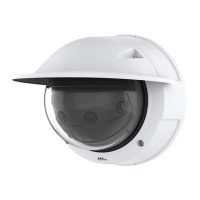
AXISP3818-PVENetworkCamera
Configureyourdevice
•MountedPIRdetector
•Switchrelayconnectedtothegatelock,inthiscasetheswitchisnormallyclosed(NC)
•Connectingwires
Physicalconnection
1.ConnectthewiresfromthePIRdetectortotheinputpin,seeI/Oconnectoronpage50.
2.Connectthewiresfromtheswitchtotheoutputpin,seeI/Oconnectoronpage50
CongureI/Oports
Youneedtoconnecttheswitchrelaytothecamerafromthecamera’swebpage.First,conguretheI/Oports:
SetthePIRdetectortoaninputport
1.GotoSystem>Accessories>I/Oports.
2.SetthedirectiontoInputforport1.
3.Givetheinputmoduleadescriptivename,forexample“PIRdetector”.
4.TotriggeraneventwheneverthePIRdetectorsensesmotion,setthenormalstatetoCircuitopen.
Settheswitchrelaytoanoutputport
1.SetthedirectiontoOutputforport2.
2.Givetheoutputmoduleadescriptivename,forexample“Gateswitch”.
3.Toopenthegatewheneveraneventistriggered,setthenormalstatetoCircuitclosed.
Createrules
1.GotoSettings>System>Eventsandaddarule.
2.Typeanamefortherule,forexample“Opengate”.
3.Inthelistofconditions,selectPIRdetector.
4.Inthelistofactions,selectToggleI/Oonce.
5.Inthelistofports,selectGateswitch.
6.SetstatetoActive.
7.Settheduration.
8.ClickSave.
Triggeranalarmifsomeoneopensthehousing
Thisexampleexplainshowtotriggeranalarmifsomeoneopensthehousing.
Addarecipient:
1.GotoSystem>Events>RecipientsandclickAddrecipient.
2.Typeanamefortherecipient.
3.SelectEmail.
13



 To Next Page