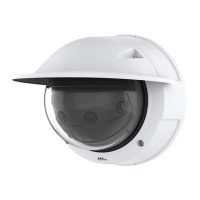
AXISP3818-PVENetworkCamera
Configureyourdevice
9.Thecameradoesn’thaveit’sownemailserver,soitwillneedtologintoanotheremailservertobeabletosendmails.Fill
intherestoftheinformationaccordingtoyouremailprovider.
10.Tosendatestemail,clickTest.
11.ClickSave.
Createarule:
12.GotoSystem>Events>RulesandclickAddarule.
13.Typeanamefortherule.
14.Inthelistofconditions,selectTampering.
15.Inthelistofactions,selectSendnoticationtoemail.
16.Selectarecipientfromthelist.
17.Typeasubjectandamessagefortheemail.
18.ClickSave.
Audio
Addaudiotoyourrecording
Turnonaudio:
1.GotoAudio>DevicesettingsandturnonAllowaudio.
2.GotoInput>Typeandselectyouraudiosource.
3.Editthestreamprolewhichisusedfortherecording:
3.1GotoSystem>Streamprolesandselectthestreamprole.
3.2SelectIncludeaudiotoallowaudiotobeincludedinthestream.
3.3ClickSave.
Connecttoanetworkspeaker
NetworkspeakerpairingallowsyoutouseacompatibleAxisnetworkspeakerasifitisconnecteddirectlytothecamera.Once
paired,thespeakeractsasanaudiooutdevicewhereyoucanplayaudioclipsandtransmitsoundthroughthecamera.
Important
Forthisfeaturetoworkwithavideomanagementsoftware(VMS),youmustrstpairthecamerawiththenetworkspeaker,
thenaddthecameratoyourVMS.
Paircamerawithnetworkspeaker
1.GotoSystem>Accessories>Networkspeakerpairing.
2.Typethenetworkspeaker’sIPaddress,usernameandpassword.
3.ClickConnect.AconrmationmessageappearsandUsespeakerpairingisturnedon.
4.GotoSettings>Audio.
5.TurnonAllowaudio.
16



 To Next Page