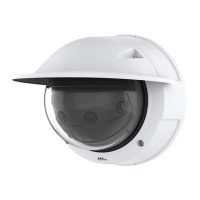
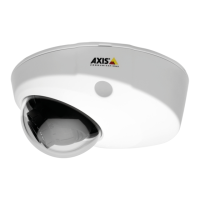
AXISP3818-PVENetworkCamera
Configureyourdevice
13.Inthelistofports,selectPort1.
14.Inthelistofactions,underNotications,selectSendnoticationtoemail.
15.SelectarecipientfromthelistorgotoRecipientstocreateanewrecipient.
Tocreateanewrecipient,click
.Tocopyanexistingrecipient,click.
16.Typeasubjectandamessagefortheemail.
17.ClickSave.
Detecttamperingwithinputsignal
Thisexampleexplainshowtotriggeranalarmwhentheinputsignaliscutorshort-circuited.Formoreinformationaboutthe
I/Oconnector,seepage50.
1.GotoSystem>AccessoriesandturnonSupervisedforoneoftheports.
Createarule:
1.GotoSystem>Eventsandaddarule.
2.Enteranamefortherule.
3.Inthelistofconditions,selectDigitalinput.
4.SelectaPort
5.Inthelistofactions,selectSendnoticationtoemailandthenselectarecipientfromthelist.
-Tocreateanewrecipient,gotoRecipientsandclick+Addrecipient.
-Tocopyanexistingrecipient,gotoRecipients,hoveranexistingrecipient,openthecontextmenu
andclickCopyrecipient.
6.Enterasubjectandamessagefortheemail.
7.ClickSave.
Sendanemailautomaticallyifsomeonespraypaintsthelens
Activatethetamperingdetection:
1.Click
andselectLegacydeviceinterface.
2.GotoSystem>Detectors>Cameratampering.
3.SetadurationforTriggerafter.Thevalueindicatesthetimethatmustpassbeforeanemailissent.
4.TurnonTriggerondarkimages.Thiswilltriggeranalarmifthelensissprayed,covered,orrenderedseverelyoutoffocus.
Addarecipient:
5.GotoSystem>Events>RecipientsandclickAddrecipient.
6.Typeanamefortherecipient.
7.SelectEmail.
8.Typeanemailaddresstosendtheemailto.
15



 To Next Page