AXISP9106-VNetworkCamera
Additionalsettings
7.Setthepostbuffertimeto60seconds.
8.Inthelistofstorageoptions,selectSDcard.
9.ClickSave.
Applications
Applications
AXISCameraApplicationPlatform(ACAP)isanopenplatformthatenablesthirdpartiestodevelopanalyticsandotherapplications
forAxisproducts.Tondoutmoreaboutavailableapplications,downloads,trialsandlicenses,gotoaxis.com/applications.
TondtheusermanualsforAxisapplications,gotoaxis.com.
Note
•Severalapplicationscanrunatthesametimebutsomeapplicationsmightnotbecompatiblewitheachother.Certain
combinationsofapplicationsmightrequiretoomuchprocessingpowerormemoryresourceswhenruninparallel.Verify
thattheapplicationsworktogetherbeforedeployment.
Addaudio
Addaudiocapabilitytoyourproduct
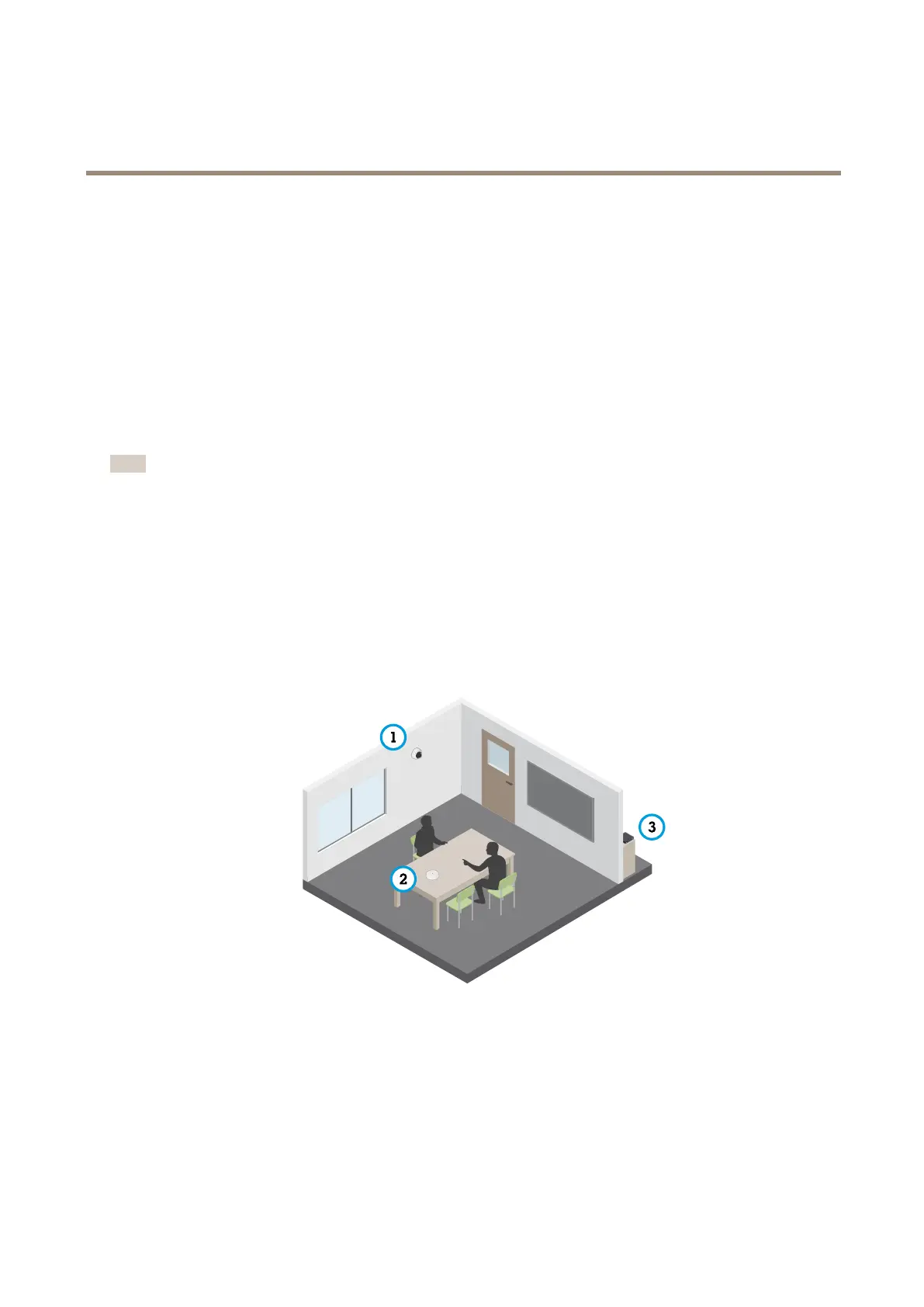
WiththeAXIST61AudioandI/OInterfaceproducts,youcanaddaudiocapabilitytoyourproduct.Usethesetupin,forexample,
interviewrooms.YoucanplacetheAxisnetworkvideoproductonthewallorceilingtogivegoodvisualcoverage,andthe
AXIST61AudioandI/OInterfaceonorabovetheinterviewtable.
InterviewroomwithAXIST61Seriessetup.
1
Axisnetworkvideodevice
2
AXIST61AudioandI/OInterface
3
PoEswitch
ToaddaudiocapabilitytoyourAxisnetworkvideodevice,connecttheAXIST61AudioandI/OInterfacebetweenyourdeviceand
thePoEswitchwhichprovidespower.
1.ConnecttheAxisnetworkvideodevice(1)andtheAXIST61AudioandI/OInterface(2)withaPoEcable.
13


 To Next Page