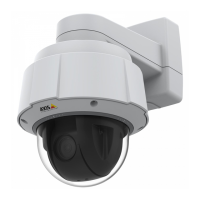
AXISQ60Series
NOTICE NOTICE
NOTICE
Topreventcorruptionofrecordings,theSDcardshouldbeunmountedbeforeremoval.To
unmount,gotoSetup>SystemOptions>Storage>SDCardandclickUnmount.
Controlbutton-Thecontrolbuttonisusedfor:
•Resettingtheproducttofactorydefaultsettings.Seepage26.
•ConnectingtoanAXISVideoHostingSystemserviceorAXISInternetDynamic
DNSService.Formoreinformationabouttheseservices,seetheUserManual.
Powerbutton-Pressthepowerbuttontotemporarilypowertheproductwhenthedomecoveris
removed.Thepowerbuttonisalsousedwiththecontrolbuttontoresetthecameratofactory
defaultsettings.Seepage26.
Multi-connector-Terminalconnectorforconnectingexternalequipment:
•Audioequipment
•Input/Output(I/O)devices
•AC/DCpowersupply
Whenconnectingexternalequipment,amulti-connectorcable(availablefromAxis)isrequired
inordertomaintaintheproduct’sIPrating.Formoreinformation,seeMulti-ConnectorCable
(soldseparately),onpage14.
Multi-ConnectorCable(soldseparately)
WhenconnectingexternalequipmenttotheAxisproduct,amulti-connectorcable(availablefrom
Axis)isrequiredinordertomaintaintheproduct’sIPrating.Themulti-connectorcablecanbe
purchasedfromyourAxisreseller.
Connectthemulti-connectorcabletotheproduct’smulti-connector.Tolocatethemulti-connector,
seeHardwareOverview,onpage10.Thecableprovidesthefollowingconnectors:
Powerconnector-3-pinterminalblockusedforpowerinput.Seeimagebelow.Usealimited
powersource(LPS)witheitheraratedoutputpowerlimitedto≤100Woraratedoutputcurrent
limitedto≤5A.
Audioin(pink)-3.5mminputforamonomicrophone,oraline-inmonosignal(leftchannelis
usedfromastereosignal).
Audioout(green)-3.5mmoutputforaudio(linelevel)thatcanbeconnectedtoapublicaddress
(PA)systemoranactivespeakerwithabuilt-inamplier.Astereoconnectormustbeusedforthe
audioout.
I/Oterminalconnector-Usewithexternaldevicesincombinationwith,forexample,tampering
alarms,motiondetection,eventtriggering,timelapserecordingandalarmnotications.Inaddition
togroundandauxiliarypower,theI/Oterminalconnectorprovidestheinterfaceto:
14



 To Next Page