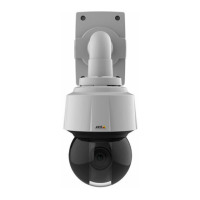
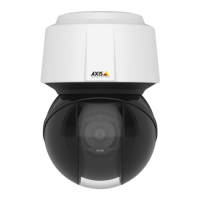
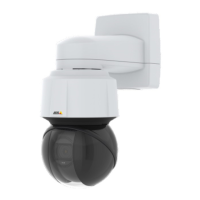
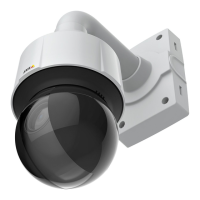
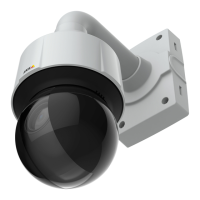
AXISQ6115-EPTZDomeNetworkCamera
AboutPTZ(PanTiltZoom)
9.ClickSave.
Howtoeditaguardtour
1.GotoSetup>PTZ>GuardTour.
2.SelecttheguardtourintheGuardTourList.
3.ClickModify.
Howtodeleteaguardtour
1.GotoSetup>PTZ>GuardTour.
2.SelecttheguardtourintheGuardTourList.
3.ClickRemove.
Abouttourrecording
Theguardtourfunctioninthisproductincludestourrecording.Thisallowsrecordingacustomtourusinganinputdevice,suchasa
joystick,amouseorakeyboard,orthroughusingtheVAPIX®ApplicationProgrammingInterface(API).Arecordedtourisareplayofa
recordedsequenceofpan/tilt/zoommovements,includingtheirvariablespeedsandlengths.
OSDIZones
On-ScreenDirectionIndicator(OSDI)zonescanbeincludedintheoverlaytext(seeAboutoverlaytextonpage19)toaidtheuserto
navigatetheAxisproduct.EachOSDIzoneissetupwithcoordinatesandadescriptivename.
OSDIzonesaresetupunderPTZ>OSDIZones.TheAxisproductusesthecoordinatesofthecenteroftheviewtosetthelower
leftandupperrightzoneareas.FirstnavigatetowhereyouwouldlikethelowermostleftpointoftheOSDIzonetobelocated.
ClickGettosetthecoordinates.ProceedtowheretheupperrightpointofzoneshouldbelocatedandclickGet.Givethezonea
descriptivenameandclickOK.
ToincludethenameoftheOSDIzoneintheoverlaytext,gotoVideo<VideoStream<OverlaySettings.ChecktheInclude
textboxandenterthemodier#Lintheeld.Formoreinformationaboutmodiers,seeFileNaming&Date/TimeFormatsin
theonlinehelp
.
Advanced
Limits
Denethepan,tilt,zoomandfocuslimitsfortheAxisproduct.Movementstotheleftandright,upanddown,canberestrictedto
narrowtheareaundersurveillance.
Nearfocuslimitisusedtopreventthecamerafromautofocusingonobjectsclosetothecamera.Thisway,thecameracanignore
objectssuchasoverheadwires,streetlights,orothercamerasplacedclosetothecamera.
Tomakethecamerafocusontheareasofinterest,setthenearfocuslimittoavaluethatisgreaterthanthedistanceatwhichthe
uninterestingobjectstendtoappear.Seeillustrationbelowwherexisthenearfocuslimitvalue.
27


 To Next Page