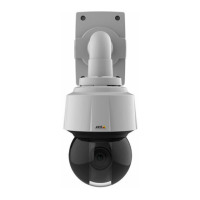
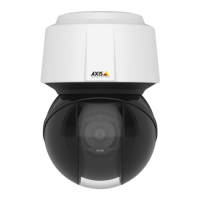
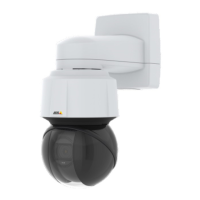
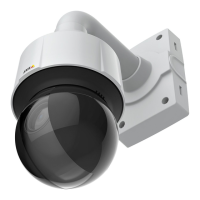
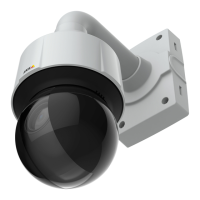
AXISQ6115-EPTZDomeNetworkCamera
Howtoaccesstheproduct
SeealsoAXISInternetDynamicDNSServiceatwww.axiscam.net
Note
•Inthiscontext,a“router”referstoanynetworkroutingdevicesuchasaNATrouter,networkrouter,internetgateway,
broadbandrouter,broadbandsharingdevice,orasoftwaresuchasarewall.
•ForNATtraversaltowork,NATtraversalmustbesupportedbytherouter.TheroutermustalsosupportUPnP
®
.
Howtosettherootpassword
ToaccesstheAxisproduct,youmustsetthepasswordforthedefaultadministratoruserroot.ThisisdoneintheCongureRoot
Passworddialog,whichopenswhentheproductisaccessedforthersttime.
Topreventnetworkeavesdropping,therootpasswordcanbesetviaanencryptedHTTPSconnection,whichrequiresanHTTPS
certicate.HTTPS(HypertextTransferProtocoloverSSL)isaprotocolusedtoencrypttrafcbetweenwebbrowsersandservers.The
HTTPScerticateensuresencryptedexchangeofinformation.SeeHTTPSonpage41.
Thedefaultadministratorusernamerootispermanentandcannotbedeleted.Ifthepasswordforrootislost,theproductmustbe
resettothefactorydefaultsettings.SeeHowtoresettofactorydefaultsettingsonpage53.
Tosetthepassword,enteritdirectlyinthedialog.
Abouttheliveviewwindow
Thecontrolsandlayoutoftheliveviewwindowmayhavebeencustomizedtomeetspecicinstallationrequirementsanduser
preferences.Consequently,someoftheexamplesandfunctionsfeaturedheremaydifferfromthosedisplayedinyourownliveview
window.Thefollowingprovidesanoverviewofeachavailablecontrol.
Aboutthecontrolsintheliveviewwindow
ClicktheViewsizebuttonstoshowtheimageinfullsize(rightbutton)ortoscaledowntheimageto
tthebrowserwindow(leftbutton).
ClickSpeedDrybuttontoenablethisfunction.Thecameravibratestoclearthedomeofwaterdrops
andrenderaclearerimage.Forinformationabouthowtocongureandenablethebutton,seeAbout
themanualtriggeronpage9
SelectastreamprolefortheliveviewwindowfromtheStreamProledrop-downlist.Forinformation
abouthowtocongurestreamproles,seepage17.
UsetheManualTriggerbuttontotriggeranactionrulefromtheliveviewwindow.Forinformation
abouthowtocongureandenablethebutton,seeAboutthemanualtriggeronpage9.
ClickSnapshottosaveasnapshotofthevideoimage.Thisbuttonisprimarilyintendedforusewhen
theAXISMediaControlviewertoolbarisnotavailable.EnablethisbuttonfromLiveViewCong>
ActionButtons.
EnableordisabletheGatekeeperbyselectingOnorOfffromthedrop-downlist.Formoreinformation
abouttheGatekeeper,seepage26.
8


 To Next Page