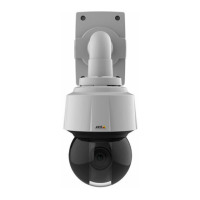
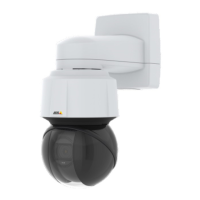
AXISQ6115-EPTZDomeNetworkCamera
Howtoaccesstheproduct
Howtoaccesstheproduct
ToinstalltheAxisproduct,seetheInstallationGuidesuppliedwiththeproduct.
Theproductcanbeusedwithmostoperatingsystemsandbrowsers.Werecommendthefollowingbrowsers:
•InternetExplorer
®
withWindows
®
•Safari
®
withOSX
®
•Chrome
TM
orFirefox
®
withotheroperatingsystems.
ToviewstreamingvideoinInternetExplorer,allowinstallationofAXISMediaControl(AMC)whenprompted.
TheAxisproductincludesone(1)H.264decoderlicenseforviewingvideostreams.ThelicenseisautomaticallyinstalledwithAMC.
Theadministratorcandisabletheinstallationofthedecoderstopreventinstallationofunlicensedcopies.
Note
•QuickTime
TM
isalsosupportedforviewingH.264streams.
Howtoaccesstheproductfromabrowser
1.Startawebbrowser.
2.EntertheIPaddressorhostnameoftheAxisproductinthebrowser’saddresseld.
ToaccesstheproductfromaMaccomputer(OSX),gotoSafari,clickonBonjourandselecttheproductfromthe
drop-downlist.ToaddBonjourasabrowserbookmark,gotoSafari>Preferences.
IfyoudonotknowtheIPaddress,useAXISIPUtilitytolocatetheproductonthenetwork.Forinformationabout
howtodiscoverandassignanIPaddress,seethedocumentHowtoassignanIPaddressandaccessyourdeviceonthe
productpageataxis.com.
3.Enteryourusernameandpassword.Ifthisisthersttimetheproductisaccessed,therootpasswordmustrstbe
congured.
4.Theproduct’sliveviewpageopensinyourbrowser.
Howtoaccesstheproductfromtheinternet
Anetworkrouterallowsproductsonaprivatenetwork(LAN)toshareasingleconnectiontotheinternet.Thisisdonebyforwarding
networktrafcfromtheprivatenetworktotheinternet.
Mostroutersarepre-conguredtostopattemptstoaccesstheprivatenetwork(LAN)fromthepublicnetwork(internet).
IftheAxisproductislocatedonanintranet(LAN)andyouwanttomakeitavailablefromtheother(WAN)sideofaNAT(Network
AddressTranslator)router,turnonNATtraversal.WithNATtraversalproperlycongured,allHTTPtrafctoanexternalHTTPport
intheNATrouterisforwardedtotheproduct.
HowtoturnontheNAT-traversalfeature
•GotoSettings>System>Plaincong>Network.
•SelectNATtraversalenabled.
•EnterExternalIPaddress.
•EntertheIPaddressoftheNATtraversalrouter.
•ManuallycongureyourNATroutertoallowaccessfromtheinternet.
7



 To Next Page