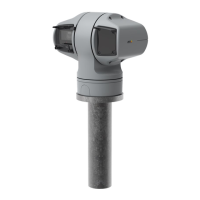
AXISQ6225-LEPTZCamera
Thedeviceinterface
Showswhatkindsofaccesstothedevicethatareactive,andwhatencryptionprotocolsareinuse.Recommendationstothe
settingsarebasedontheAXISOSHardeningGuide.
Hardeningguide:ClicktogotoAXISOSHardeningguidewhereyoucanlearnmoreabouthowtoapplycybersecuritybest
practices.
PTZ
ShowsthePTZstatus.
Test:ClicktotestthePTZmechanics.Duringthetest,therearenovideostreamsavailable.Whenthetestisdone,thedevice
restoresitshomeposition.
Connectedclients
Viewdetails:Clicktoshowallclientsthatareconnectedtothedevice.
Ongoingrecordings
Recordings:Showseachongoingrecordinganditssource.Formoreinformation,seeRecordingsonpage33
Showsthestoragespacewheretherecordingissaved.
Powerstatus
Showspowerstatusinformation,includingcurrentpower,averagepowerandmaxpower.
Powersettings:ClicktogotothePowersettingspagewhereyoucanchangethepowersettings.
Video
Click-and-dragthecrosshairtopanandtiltintheliveview.
ZoomUsetheslidertozoominandout.
FocusUsethissettingtosetfocusintheshownarea.Dependingonthedevice,differentfocusmodesareavailable.
•Auto:Thecameraautomaticallyadjustsfocusbasedontheentireimage.
•Manual:Setthefocusmanuallyataxeddistance.
•Area:Thecameraautomaticallyadjustsfocusforaselectedareaoftheimage.
•Spot:Thecameraautomaticallyadjustsfocusforthecenteroftheimage.
BrightnessUsethissettingtoadjustthelightintensityintheimage,forexample,tomakeobjectseasiertosee.Brightnessis
appliedafterimagecapture,anddoesnotaffecttheinformationintheimage.Togetmoredetailsinadarkarea,itissometimes
bettertotrytoincreasegainorincreaseexposuretime.
19



 To Next Page