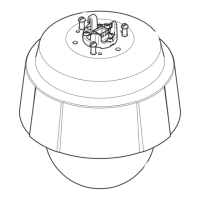
AXISQ6315-LEPTZCamera
Thedeviceinterface
Thedeviceinterface
Toreachthedeviceinterface,typethedevice’sIPaddressinawebbrowser.
Note
Supportforthefeaturesandsettingsdescribedinthissectionvariesbetweendevices.Thisicon
indicatesthat
thefeatureorsettingisonlyavailableinsomedevices.
Showorhidethemainmenu.
Accesstheproducthelp.
Changethelanguage.
Setlightthemeordarktheme.
Theusermenucontains:
•Informationabouttheuserwhoisloggedin.
•
Changeuser:Logoutthecurrentuserandloginanewuser.
•
Logout:Logoutthecurrentuser.
Thecontextmenucontains:
•Analyticsdata:Accepttosharenon-personalbrowserdata.
•Feedback:Shareanyfeedbacktohelpusimproveyouruserexperience.
•Legal:Viewinformationaboutcookiesandlicenses.
•About:Viewdeviceinformation,includingrmwareversionandserialnumber.
•Legacydeviceinterface:Changethedeviceinterfacetothelegacydeviceinterface.
Status
Deviceinfo
Showsdeviceinformation,includingrmwareversionandserialnumber.
Upgradermware:ClicktogototheMaintenancepagewhereyoucandoarmwareupgrade.
Timesyncstatus
ShowsNTPsynchronizationinformation,includingifthedeviceisinsyncwithanNTPserverandthetimeremaininguntil
thenextsync.
NTPsettings:ClicktogototheDateandtimepagewhereyoucanchangetheNTPsettings.
Security
14


 To Next Page