EasyManua.ls Logo

Axis TW1200 - User Manual

Axis TW1200
62 pages
Print Icon
To Next Page IconTo Next Page
Loading...
Axisbodywornsolution
AXISW100BodyWornCamera
AXISW101BodyWornCamera
AXISW1 10BodyWornCamera
AXISW120BodyWornCamera
AXISW700DockingStation1-bay
AXISW701DockingStation8-bay
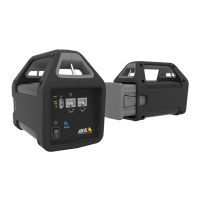
AXISW800SystemController
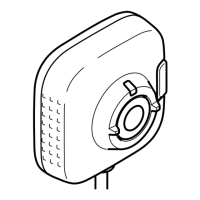
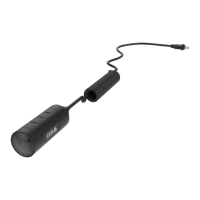
AXISTW1200MiniBulletSensor
AXISTW1201BodyWornMiniCubeSensor
AXISTW1906BatteryKit5P
Axisbodywornsolution
Usermanual

Other manuals for Axis TW1200

Questions and Answers

  • J
    Jessica RamirezSep 3, 2025
    Why are my Axis TW1200 recordings offloading slowly?
    • S
      Stephanie HarrisonSep 3, 2025
      If your Axis Security Camera recordings are slow to offload, it might be due to multiple simultaneous offloads affecting the transfer speed. To resolve this, check the camera status in AXIS Body Worn Manager and wait for the recordings to be transferred.
  • J
    Joy RothSep 2, 2025
    What to do if my Axis TW1200 doesn't turn on?
    • V
      vburnsSep 2, 2025
      If your Axis Security Camera isn't turning on, there are several possible reasons. First, the camera might be in shipping mode, in which case you should add it to the body worn system. Second, the camera may be out of battery, so try charging it. If charging doesn't resolve the issue, press and hold the power button for 4 seconds, then dock the camera until it's charged, and finally, undock it and wait for it to restart. Alternatively, without a docking station, press and hold the power button for 4 seconds and charge the camera using a USB charger.
  • R
    riverapatrickSep 1, 2025
    Why did I permanently lose connection to the extension system controller for my Axis Controller?
    • J
      Jonathon McgrathSep 1, 2025
      If you've permanently lost connection to the extension system controller, it may be because the extension system controller hasn’t been connected to the system for over eight weeks resulting in expired certificates. In this case, contact Axis support.
  • T
    tdiazAug 31, 2025
    What to do if the Axis Controller docking station LED doesn't turn on?
    • D
      debra36Aug 31, 2025
      If the docking station LED doesn't turn on, the docking station may not be receiving power. Connect the docking station to a power supply, as it cannot be powered by PoE.
  • R
    Rachel JordanAug 30, 2025
    Why don't recordings appear in the content destination with my Axis Controller?
    • J
      Joshua HendersonAug 30, 2025
      Several factors can prevent recordings from appearing in the content destination. First, the content destination might be unavailable, so check its status on the Dashboard in AXIS Body Worn Manager. Also, many simultaneous offloads can affect transfer speed, so open the device in AXIS Body Worn Manager to check the transfer status and wait for the recordings to transfer. If the camera was undocked before the transfer completed, dock it again and wait. Ensure the time in the body worn system matches the content destination's time. Finally, verify that you have enough licenses and buy more if necessary.
  • A
    Ann JohnsonAug 29, 2025
    Why doesn't the docking station LED turn on for my Axis Digital Camera?
    • S
      Stephanie MooreAug 29, 2025
      If the docking station LED for your Axis Digital Camera doesn't turn on, the docking station likely doesn't have power. Connect the docking station to the power supply, as docking stations can't be powered by PoE.
  • M
    Melanie SteeleAug 28, 2025
    Why doesn't the LED display work on my Axis Digital Camera?
    • A
      April LopezAug 28, 2025
      If the LED display on your Axis Digital Camera doesn't work, the camera might be in silent mode, which turns off the display. To exit silent mode, press the top button for 2 seconds.
  • C
    calvin62Aug 27, 2025
    How to fix foggy image on Axis Digital Camera?
    • J
      Joshua HudsonAug 27, 2025
      If the image from your Axis Digital Camera looks foggy, the lens is likely dirty. Clean the lens to resolve this.
  • K
    Kendra AllenAug 26, 2025
    Why is offloading recordings slow on my Axis Digital Camera?
    • J
      jeffrey92Aug 26, 2025
      If offloading recordings from your Axis Digital Camera is slow, it may be due to many simultaneous offloads affecting transfer speed. Check the camera status in AXIS Body Worn Manager and wait for recordings to be transferred.
  • B
    Brian WigginsAug 26, 2025
    What to do if my Axis Digital Camera doesn't record?
    • T
      toddmargaretAug 26, 2025
      Your Axis Digital Camera might not be recording because the camera storage is full (storage status is red). Try docking the camera to resolve this issue. Other possible causes are: pre-buffer video is not complete because pre-buffer time is shorter than configured in AXIS Body Worn Manager; recording started directly after the previous recording was ended; when using the maximum resolution 1080p in very complex scenes with a lot of movement, or in low light, the pre-buffer memory can get full.

Axis TW1200 Specifications

General IconGeneral
BrandAxis
ModelTW1200
CategorySecurity Camera
LanguageEnglish

Related product manuals