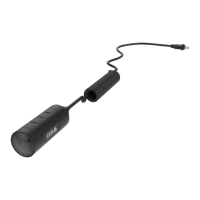
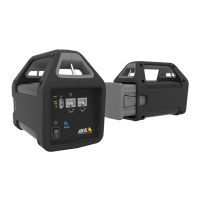
Axisbodywornsolution
Configureyoursystem
whenreestablishingtheconnectionbetweenthebodywornsystemandcamerasthatareinsafemode.The
passphrasecan’tbechanged.
-TheSystemrestorekeyisanimportantsecurityfeature.ThebodywornsystemrequiresaSystemrestorekey
forcertainoperations.Theseoperationsincludeforinstance,reestablishingtheconnectionbetweenthebody
wornsystemandtheexistingcameras,afterreplacingasystemcontrollerthathasfailed.DownloadtheSystem
restorekeytoyourcomputerandstoreitinasecurelocation.
-Selectthepowerlinefrequencythatisusedinyourregion.Withtherightfrequency,thereislessimageicker.
TheAmericanregionsusuallyuse60Hz.Therestoftheworldmostlyuses50Hz.Ifyou'renotsureofyour
region'spowerlinefrequency,checkwiththelocalauthorities.
-Youcanassigncamerastousersintwoways.WithFixedcameraassignmenteveryuserismanuallyassigned
toaspeciccamera.WithSelf-assignthecamerausertapsaself-assigntagonanRFIDreader,connected
tothesystem,topickupanyavailablecamera.ItisnotpossibletoswitchbetweenFixedandSelf-assign
withoutresettingthesystem.WithSelf-assignyoucanassignuserstocameraslocallyorgloballyinthe
system.ThisoptionisavailableunderSettingsonceyou’vecompletedthissetup.SeeCameraassignmenton
page15formoreinformation.
OpenAXISBodyWornManager
1.OpenabrowserandentertheIPaddressorhostnameofthesystemcontroller.
IfyoudonotknowtheIPaddress,seeAccessAXISBodyWornManagerforthersttimeonpage7.
2.Enteryourusernameandadministratorpassword.
AXISBodyWornManageropensinyourbrowser.
Note
Theusernameforthedefaultadministratoraccountisroot.
Contentdestinations
Thecontentdestinationstoresandmanagesyourrecordingsandmetadata.AcontentdestinationisforinstanceanEMS(evidence
managementsystem),aVMS(videomanagementsystem)oramediaserver.TheAxisbodywornsolutionsupportsanumberof
differentcontentdestinations.
TheyallrequireaconnectionletointegratewiththeAxisbodywornsystem.Theconnectionleisgeneratedinyourcontent
destination.Forinformationabouthowtogeneratetheconnectionle,pleaserefertotheuserhelpinyourcontentdestination.
Theconnectionwiththecontentdestinationalsorequiresthatthenetworkcommunicationisworkingproperly.Thismayinclude
proxy,rewall,andanti-virusconguration.
Important
Thetimeandtimezoneofyourbodywornsystemmustalwaysmatchthetimeandtimezoneofthecontentdestination.See
Adjustdateandtimeonpage37.
ConnecttoAXISCameraStation
GototheAXISCameraStationIntegratorGuideforhelponhowtointegrateanAxisbodywornsystemwithAXISCameraStation.
ConnecttoAXISCaseInsight
GototheAXISCaseInsightSystemIntegratorGuideforhelponhowtointegrateanAxisbodywornsystemwithAXISCaseInsight.
Note
ConnectingtoAXISCaseInsightrequiresrmware10.2.0.3orlater.
Integratewiththirdpartyapplications
8


 To Next Page