59
Axis video server - Unit connectors
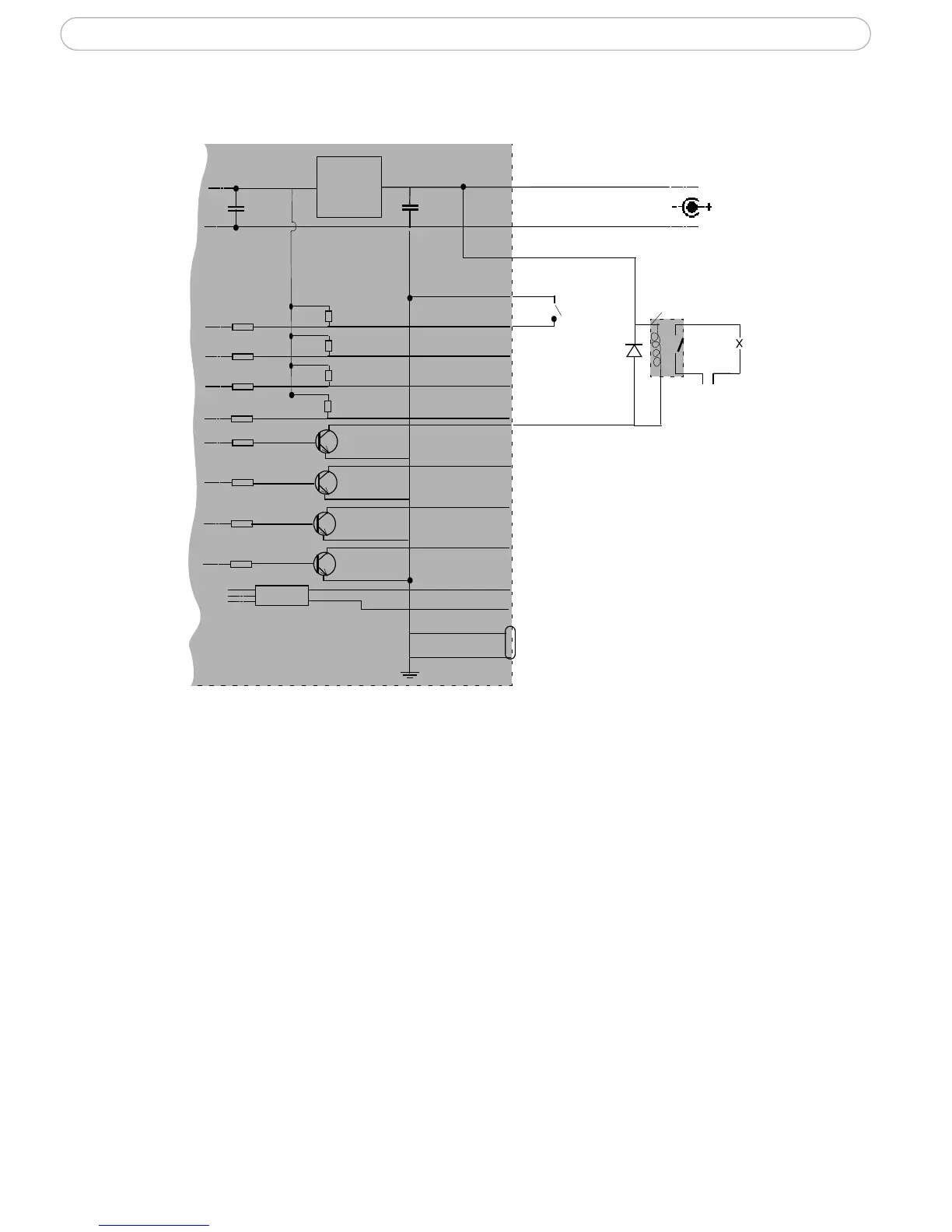
Schematic diagram - I/O terminal connector
o
z
o
z
z
z
o
o
o
z
o
o
o
oo
A
B
Axis video server
3.3V
Power adapter (9W)
e.g. push button
Device
GND PIN 5
RS-485
9
10
11
12
o
o
8
o
6
z
z
RS-232
D-SUB
o
5
o
4
o
3
o
2
Switch
Mode
Power
Supply
o
7
1
o
o
Relay
GND
+
COM ports RS-232 and RS-485
The COM Ports RS-232 and RS-485 support several operational modes:
• Generic TCP/IP - enables the video server to receive status/data and send com-
mands via TCP/IP
• Generic HTTP - enables the video server to receive status/data and send com-
mands via HTTP
• Pan Tilt Zoom (PTZ) - for controlling a PTZ device. A PTZ device requires a driver
for its function. Drivers can be obtained from www.axis.com. Please see
page 41
for information on how to connect PTZ devices.
The S-Video connector (AXIS 242S IV only)
This connector can be used to connect Y/C video directly to the AXIS 242S IV.
When this connector is used, it must be selected. Go to the AXIS 242S IV web pages under
Setup > Video & Image > Video Source and select Y/C (S-video) from the Physical
connector drop-down list.



 To Next Page