7
Axis video server - Product description
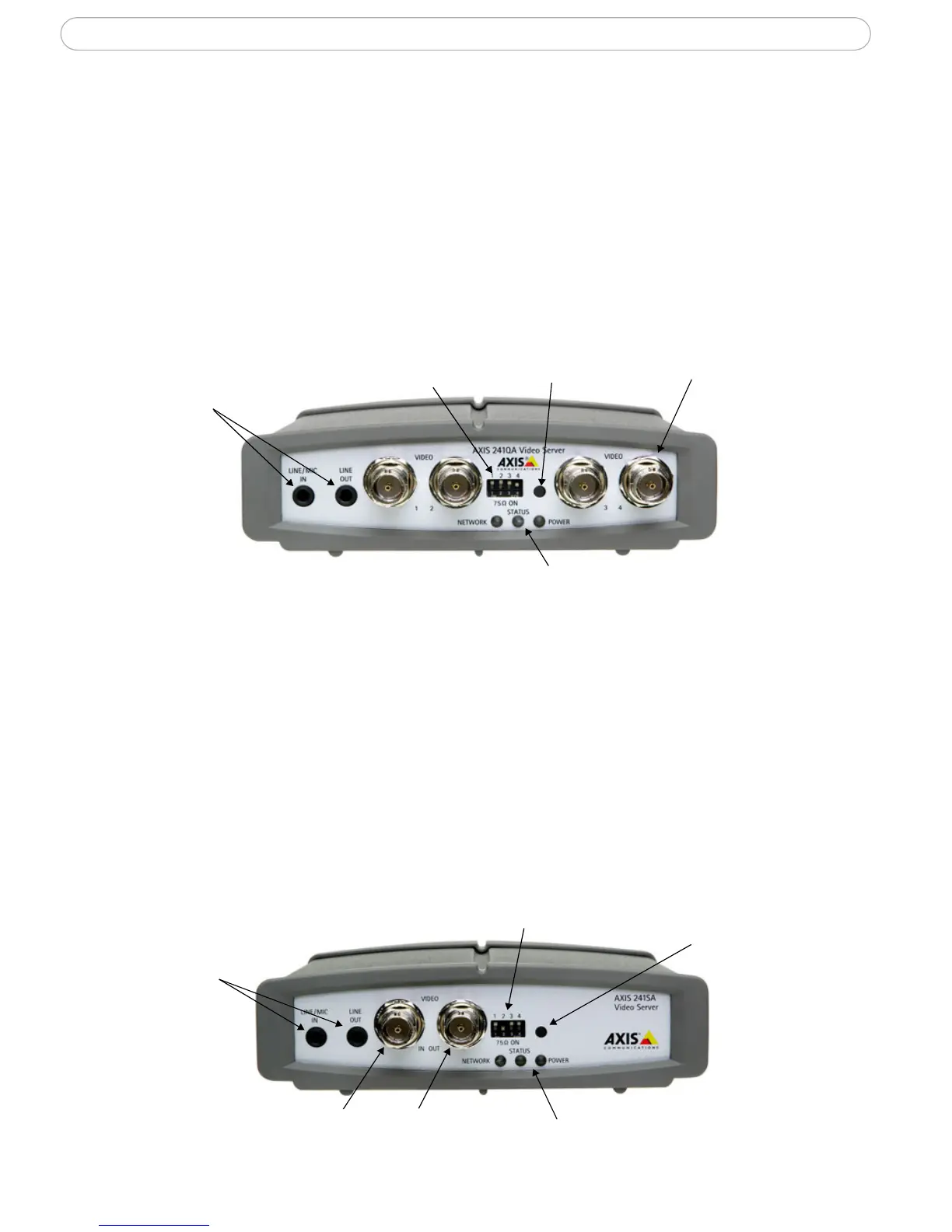
Overview - AXIS 241Q/QA
The AXIS 241Q and AXIS 241QA each provide 4 BNC inputs for connecting analog video
devices.
The AXIS 241QA also provides a Line/Mic In (mono) connector for connecting an external
microphone or other source producing a line level signal. An active speaker with a built-in
amplifier can be connected to Line Out (mono), to enable two-way communication. Audio
communication can be bi-directional (full-duplex), push to talk (half-duplex) or in one
direction only (simplex).
DIP switch
LED indicators for Network, Status & Power
Video input (x4)
Control button
Line/Mic In &
Line Out
(241QA only)
Front panel - AXIS 241Q/QA
Overview - AXIS 241S/SA
The AXIS 241S and AXIS 241SA both provide 1 BNC input and 1 matching loop-through
output. These models can also accommodate S-Video (Y/C) by using a Y/C to BNC cable
(not included). See
page 60 for more information.
The AXIS 241SA also provides a Line/Mic In (mono) connector for connecting an external
microphone or other source producing a line level signal. An active speaker with a built-in
amplifier can be connected to Line Out (mono) to enable two-way communication. Audio
communication can be bi-directional (full-duplex), push to talk (half-duplex) or in one
direction only (simplex).
Video input
Control button
Line/Mic In
& Line Out
(AXIS 241SA
only)
Video output
DIP switch
Front panel - AXIS 241S/SA
LED indicators for Network, Status & Power



 To Next Page