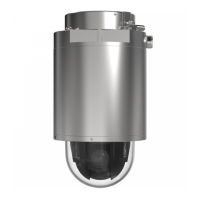
XP40-Q1765Explosion-ProtectedPTZNetworkCamera
Video
Whitebalanceisusedtomakecolorsintheimageappearthesameregardlessofthecolortemperatureofthelightsource.TheAxis
productcanbesettoautomaticallyidentifythelightsourceandcompensateforitscolor.Alternatively,selectthetypeoflight
sourcefromthedrop-downlist.Foradescriptionofeachavailablesetting,seetheonlinehelp
.
ThewhitebalancewindowisenabledfortheAutomaticandAutomaticoutdooroptionsthatappearintheWhitebalancedrop-down
list.Selectoneoftheoptionsfromthedrop-downlisttosetthewhitebalancewindowproperties.SelectAutomatictousethe
defaultsettingsfortheAutomaticandAutomaticoutdooroptions(intheWhitebalancedrop-downlist).SelectCustomtomanually
setareferencewindowforwhitebalanceintheviewarea.
WideDynamicRange
Widedynamicrange(DynamicContrast)canimprovetheexposurewhenthereisaconsiderablecontrastbetweenlightanddark
areasintheimage.EnableWDRinintensebacklightconditions.DisableWDRinlowlightconditionsforoptimalexposure.
Note
Thissettingisonlypossiblewhenusingautomaticexposurecontrol.
ExposureSettings
Exposureistheamountoflightthecamera’ssensorcapturesforascene.Toomuchlightresultsinawashedoutimageandtoo
littlelightresultsinadarkimage.
Exposurevalue-UsetheExposurevalueslidertoadjusttheoverallbrightnessoftheimage.
Exposurecontrol-Selectasuitableoptiontocontrolexposure.
Formostscenes,theAutomaticoptionwillprovidethebestresults.Theshutterspeedisautomaticallysettoproduceoptimum
imagequality.Fluorescentlampsorotherlightsourcescansometimescauseickeringintheimage.Toreduceickerintheimage,
selecttheFlickeroptionthatmatchesthepowerlinefrequency.
TheHoldcurrentoptionlocksthecurrentexposuresettings.
Maxexposuretime-Shutterspeed,alsocalled‘exposuretime’,standsforthelengthoftimethecamerashutterisopen,thereby
exposingthecamerasensortolight.Ifshutterspeedisfastitcanfreezeactioneffectively.Ifshutterspeedisslow,itcancause
movingobjectstoappearblurred.Decreasingtheexposuretimewillreducemotionblur.
EnableBacklightcompensation-Enablethisoptionifabrightspotoflight,suchasalightbulb,causesotherareasintheimage
toappeartoodark.
Exposurezones-Thissettingdetermineswhichpartoftheimageisusedtocalculatetheexposure.Formostsituations,theAuto
settingcanbeused.
YoucanselectapredenedareabydeningIncludeandExcludewindowswithintheimage.Excludewindowsexcludeareasthatare
toobrightordark,andIncludewindowsincludeareasinthescenethathavebetterlightingwhichwillcontributetotheexposuredata.
TheremustbeatleastoneIncludewindow.TherecanbeatotaloftenIncludeandExcludewindowstotailortheexposurezone.
NotethatanExcludewindowiseffectiveonlywhenplacedinsideanincludewindow.
Tip:Ifanareaisextremelybright,drawanIncludewindowtocoverthewholeareaanddeneExcludewindowswithinitto
blockoutthebrightareas.
Shutter&Gain
Theshutterandgainsettingsaffecttheamountofmotionblurandnoiseintheimage.Toadapttodifferentlighting,available
storagespaceandbandwidth,itisoftennecessarytoprioritizeeitherlowmotionblurorlownoise.TheAxisproductallowsdifferent
prioritizationinnormallightandinlowlight.
Shutterspeedisrelatedtotheamountoftimetheshutterisopenedandismeasuredinseconds(s).Aslowshutterspeedallows
morelighttoreachthesensorandcanhelpproduceabrighterimageinlowlightsituations.Ontheotherhand,aslowshutter
speedcancausemovingobjectstoappearblurry.
SetShutterto:
•Autotosettheshutterspeedautomatically.Ifrequired,useMaxshuttertolimittheshutterspeedtopreventtheframe
ratefrombeingreduced.
20



 To Next Page