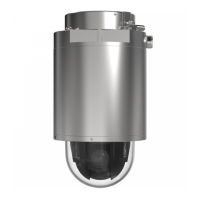
XP40-Q1765Explosion-ProtectedPTZNetworkCamera
Aboutrecordings
Aboutrecordings
TheAxisproductcanbeconguredtorecordvideocontinuouslyoraccordingtoanactionrule:
•Tostartacontinuousrecording,seepage38.
•Tosetupactionrules,seepage32.
•Toaccessrecordings,seeHowtondrecordingsonpage37.
•Toplayrecordings,seeHowtoplayrecordingsonpage37.
•Toexportarecordingasavideoclip,seeHowtoexportavideocliponpage38.
•Tocongurecameracontrolledstorage,seeStorageonpage48.
Howtondrecordings
RecordingsstoredontheSDcardornetworksharecanbeaccessedfromtheRecordings>Listpage.Thepagelistsallrecordingson
thestoragedeviceandshowseachrecording’sstartdateandtime,durationandtheeventthattriggeredtherecording.
Note
Therecording’sstartdateandtimeissetaccordingtotheAxisproduct’sdateandtimesettings.IftheAxisproductis
conguredtouseatimezonedifferentfromthelocaltimezone,makesuretoconguretheRecordingtimeltersaccording
totheproduct’stimezone.DateandtimesettingsareconguredunderSystemOptions>Date&Time,seeDate&Time
onpage42.
Tondarecording,followthesesteps:
1.GotoRecordings>List.
2.Toreducethenumberofrecordingsdisplayed,selectthedesiredoptionsunderFilter:
Recordingtime–ListrecordingsthatstartedbetweentheFromandTotimes.
Event–Listrecordingsthatweretriggeredbyaspecicevent.Selectcontinuoustolistcontinuousrecordings.
Storage–Listrecordingsfromaspecicstoragedevice.
Sort–Specifyhowrecordingsshouldbesortedinthelist.
Results–Specifythemaximumnumberofrecordingstodisplay.
3.Toapplythelters,clicktheFilterbutton.Someltersmaytakealongtimetocomplete.
4.TherecordingsaredisplayedintheRecordinglist.
Toplayarecording,selecttherecordingandclickPlay.SeealsoHowtoplayrecordingsonpage37.
Toviewdetailedinformationaboutarecording,selecttherecordingandclickProperties.
Toexportarecordingorapartofarecordingasavideoclip,selecttherecordingandclickExport.SeealsoHowtoexporta
videocliponpage38.
Toremovearecordingfromthestoragedevice,selecttherecordingandclickRemove.
Howtoplayrecordings
RecordingsontheSDcardornetworksharecanbeplayeddirectlyfromtheAxisproduct’swebpages.
37



 To Next Page