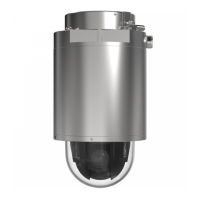
XP40-Q1765Explosion-ProtectedPTZNetworkCamera
AboutPTZ(PanTiltZoom)
9.ClickSave.
Howtoeditaguardtour
1.GotoSetup>PTZ>GuardTour.
2.SelecttheguardtourintheGuardTourList.
3.ClickModify.
Howtodeleteaguardtour
1.GotoSetup>PTZ>GuardTour.
2.SelecttheguardtourintheGuardTourList.
3.ClickRemove.
Advanced
Aboutdriver-specicsettings
TheDeviceSettingswindowdisplaysdriverspecicsettings.Theappearanceofthiswindowcanvarydependingonthedriver
installed.Optionsthatcanbeconguredinclude:
•DriverSpecicSettingsforVideoSource
•MechanicalLimitsforMovingVideoSource
•LightControlVideoSource
•ExtendedDriverSpecicSettingsforVideoSource
FordownloadandinstallationinformationaboutPTZdriversforyourAxisproductpleasevisitwww.axis.com/support
AboutadvancedPTZsettings
AdvancedPTZsettingscanbeconguredunderPTZ>Advanced>Controls.
ThePanelShortcutCommandButtonslistshowstheuser-denedbuttonsthatcanbeaccessedfromtheLiveViewpage’sCtrl
panel.ThesebuttonscanbeusedtoprovidedirectaccesstocommandsissuedusingtheVAPIX®applicationprogramminginterface.
ClickAddtoaddanewshortcutcommandbutton.
ThefollowingPTZcontrolsareenabledbydefault:
•Pancontrol
•Tiltcontrol
•Zoomcontrol
•Focuscontrol
Todisablespeciccontrols,deselecttheoptionsunderEnable/Disablecontrols.
Note
DisablingPTZcontrolswillnotaffectpresetpositions.Forexample,ifthetiltcontrolisdisabled,theproductcanstillmoveto
presetpositionsthatrequireatiltmovement.
28



 To Next Page