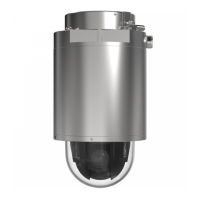
XP40-Q1765Explosion-ProtectedPTZNetworkCamera
Video
Howtoincludecurrentbitrateinatextoverlay
1.GotoVideo>VideoStream>OverlaySettings.
2.IntheIncludetexteldenter#b.
3.ClickSave.
AboutMJPEGsettings
Sometimestheimagesizeislargeduetolowlightorcomplexscenery.Adjustingthemaximumframesizehelpstocontrolthe
bandwidthandstorageusedbytheMotionJPEGvideostreaminthesesituations.SettingtheframesizetotheDefaultsetting
providesconsistentlygoodimagequalityattheexpenseofincreasedbandwidthandstorageusageinlowlight.Limitingtheframe
sizeoptimizesbandwidthandstorageusage,butmayresultinpoorimagequality.
Aboutstreamproles
Astreamproleisasetofpredenedstreamsettingsincludingresolution,compression,framerateandoverlaysettings.Stream
prolescanbeused:
•Whensettinguprecordingusingactionrules.SeeAbouteventsonpage32.
•Whensettingupcontinuousrecording.SeeAboutcontinuousrecordingonpage38.
•IntheLiveViewpage–selectthestreamprolefromtheStreamproledrop-downlist.
Tocreateanewproleormodifyanexistingprole,gotoSetup>Video>StreamProles.
ToselectadefaultstreamprolefortheLiveViewpage,gotoSetup>LiveViewCong.
AboutONVIFmediaproles
AnONVIFmediaproleconsistsofasetofcongurationsthatcanbeusedtochangemediastreamsettings.ONVIFmediaproles
canbeusedbyaclienttoconguremediastreamproperties.
TheONVIFMediaProlespagelistsallpreconguredproles.Theseprolesareincludedintheproductforquicksetup.Youcan
add,modifyorremoveONVIFmediaprolesfromthispage.
Aboutcamerasettings
TheVideo>CameraSettingspageprovidesaccesstoadvancedimagesettingsfortheAxisproduct.
Aboutimageappearance
TochangeImageAppearancegotothemenusunderSetup>Video>CameraSettings.
IncreasingtheColorlevelincreasesthecolorsaturation.Thevalue100producesmaximumcolorsaturationandthevalue0
resultsinablackandwhiteimage.
TheimageBrightnesscanbeadjustedintherange0–100,whereahighervalueproducesabrighterimage.
IncreasingtheSharpnesscanincreasebandwidthusage.Asharperimagemightincreaseimagenoiseespeciallyinlowlight
conditions.Alowersettingreducesimagenoise,butthewholeimagewillappearlesssharp.
TheContrastchangestherelativedifferencebetweenlightanddark.Itcanbeadjustedusingtheslidebar.
Aboutwhitebalance
TochangethissettinggotoSetup>Video>CameraSettings
19



 To Next Page