determine service/maintenance
intervals.
UERS version Software version, Ver XXX Firmware software version, not
upgradeable by users
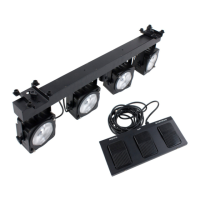
Foot controller features:
Suspend Blackout of the unit (no light whatsoever)
Menu/up
Strobe
1. Synchronous strobe in white
2. Sound strobe in white
3. Sound strobe in colour
Select colour
- Red
- Green
- Blue
- Red + Green
- Red + Blue
- Green + Blue
- Red + Green + Blue
- Colour change by
sound
Select Show
1 – 8
Operating modes:
Stand-alone (automatic): Select one of the internal programs, which will activate and run in a continuous
loop.
Music-controlled mode (sound-activated): Activate the internal microphone by using the display and set
the right sensitivity for optimal music-controlled shows. Select one of the predefined shows. The show will
change step by step when sound is detected.
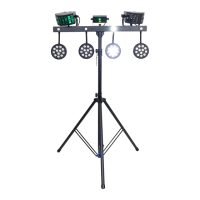
Master/slave mode (sync mode): Connect two or multiple ComPar KIT 3 systems with a standard 3p male
to 3p female XLR cable. The first system will act as a master fixture, the second system will mimic the
actions of the first system, thus creating synchronised effects.
To ensure that this function works properly, use the DMX OUT connector of the first system and the DMX IN
connector of the second system. Set the second system to Slave 1 or Slave 2 mode (synchronised or
mirrored mode). Connecting more than 1 slave is possible, with a maximum of 16 units.
The Master/slave mode also works when using the included foot controller. Connect the foot controller to the
first fixture with the 5P connector, then feed the signal through from fixture to fixture with the DMX inputs and
outputs.
NOTE: The master/slave mode of the Compar Kit 3 is compatible with the master/slave mode of the Compar
Kit 1 and 2. However, the specified floor controllers are not interchangeable between the Compar Kit 1 / 2
and the Compar Kit 3!
DMX mode: The most extensive operating mode, as this function gives you the ability to control the system
with a standard DMX-512 controller, using the 3p DMX inputs and outputs. Select one of the several channel
modes and set the right starting address. After this, you have full control over the system with your DMX
controller.
Any information and illustrations shown in this user manual are subject to change without further notice.
User manual version: 1.0 Creation date + author initials: 22-04-2015 RV Revision date + author initials: -


 To Next Page