3-3
Chapter 3. MOUNTING AND WIRING
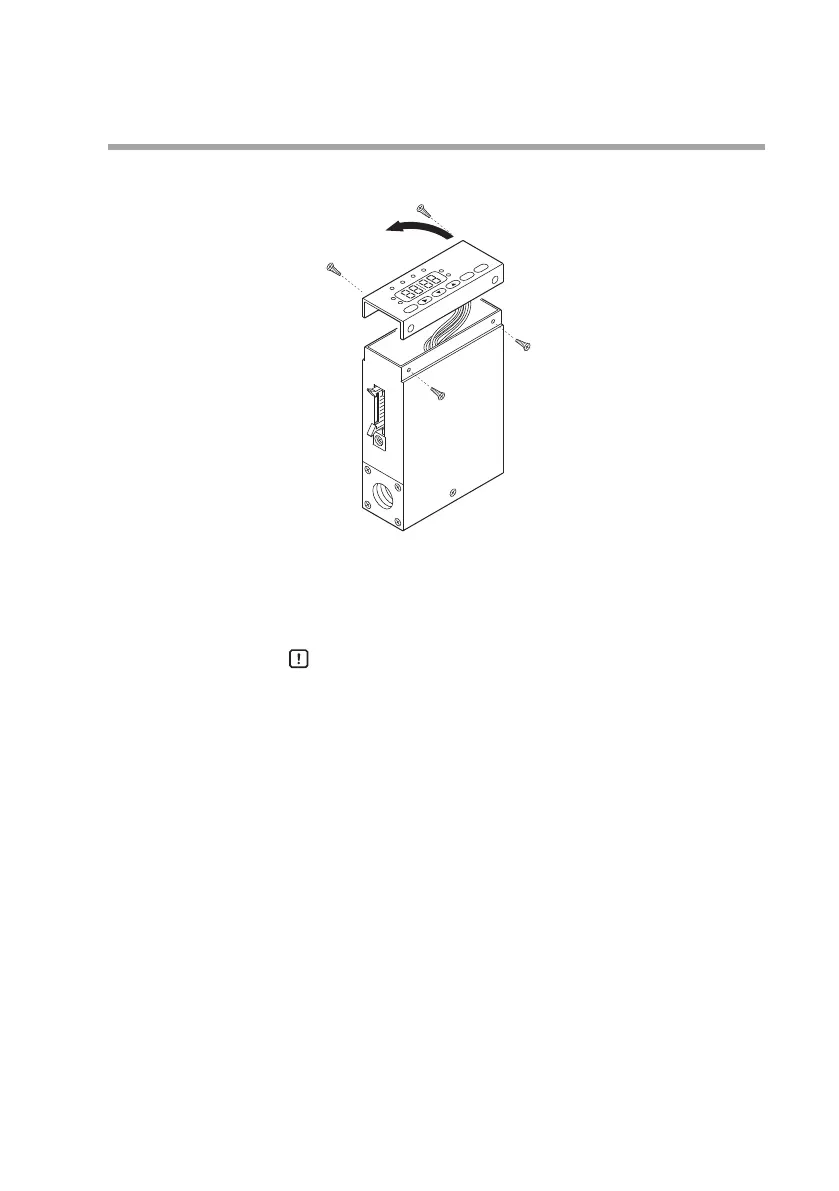
(3)
Lift up the display from the main unit, and turn it 180°
counterclockwise.
(4) Put the display back on the main unit, and fasten with the four
screws taken off in step (2).
(5) To return the display to its original position on the main unit,
turn it 180° clockwise.
Handling Precautions
•
Before changing the display direction, be sure to turn the power OFF
.
•
Prevent foreign objects from falling inside the main unit when
the display is taken off. Failure to do so might cause trouble or
malfunction.
•
Do not remove the connectors used inside the main unit.



 To Next Page