Working With Routes
Viewing a Turn-by-Turn List
46 SmartMirror User’s Guide 2008
AZENTEK, LLC Revision 2.0
Viewing a Turn-by-Turn List
You can display detailed directions of the calculated route before starting navigation or at
any time during navigation. This list displays all of the driving instructions in table form.
With the route displayed in Preview, Navigation, or Reality View mode:
• Tap the Show Turn-by-Turn List button.
The
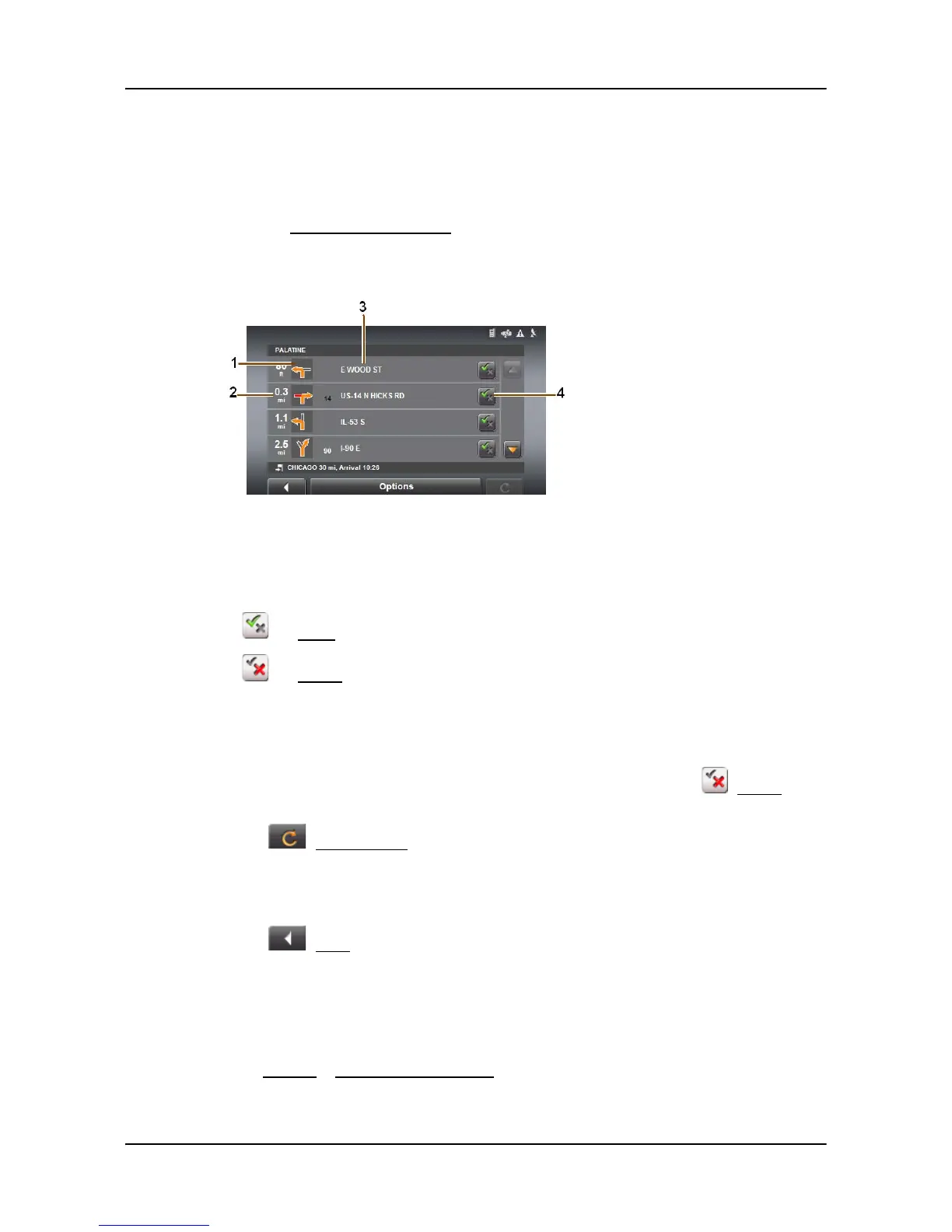
TURN-BY-TURN LIST WINDOW opens.
1. Schematic depiction of the next junction where you must turn.
2. Distance to this junction.
3. Name of the street onto which you must turn.
4. Indicates whether you want to travel on the section of the route.
(
Allow) Include this section in the route.
(
Forbid) Exclude this section from the route.
Blocking route sections
On the TURN-BY-TURN LIST WINDOW:
1. Tap on the route section you do not want to travel on, so that the (Forbid) sym-
bol appears next to them.
2. Tap (
Modify Route).
The navigation system calculates an alternative route avoiding the route sections
selected. The new driving instructions are displayed in the
TURN-BY-TURN LIST WIN-
DOW.
3. Tap (
Back) to close the TURN-BY-TURN LIST WINDOW.
Removing blocks and using original routes
Section blocks can be removed at anytime.
On the T
URN-BY-TURN LIST WINDOW:
•Tap Options > Calculate original route.



 To Next Page