Customizing Your SmartMirror
Selecting options
2008 SmartMirror User’s Guide 59
Revision 2.0 AZENTEK, LLC
Selecting options
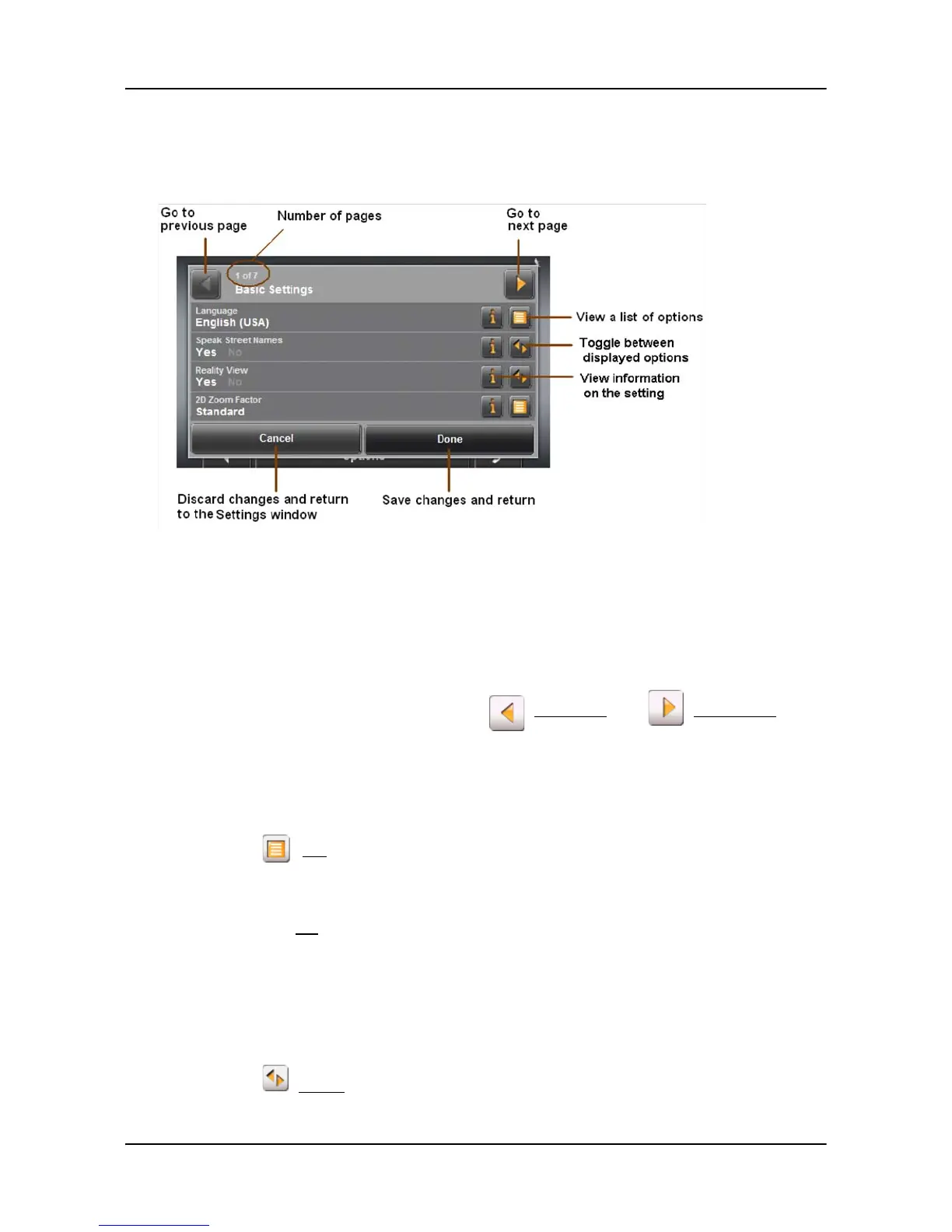
Moving between pages
The settings of the individual windows are distributed on several windows.
• Move between windows by tapping (
To the Left) and (To the Right).
Viewing a list of options for a setting
Some settings have several values. A value can be selected from a list. The value that
is currently valid is shown.
1. Tap (
List).
A list with all potential values opens. The value that is currently valid is marked.
2. Tap the desired value. It is now marked.
3. Tap the
OK button.
The list closes. The new value is displayed.
Toggling between options
Some settings can only accept two or three different values. All values are displayed
with the currently selected value shown in black.
•Tap (
Toggle) to alternate between values.



 To Next Page