7 8 9 0
4 5 6 C
1 2 3
START
STOP
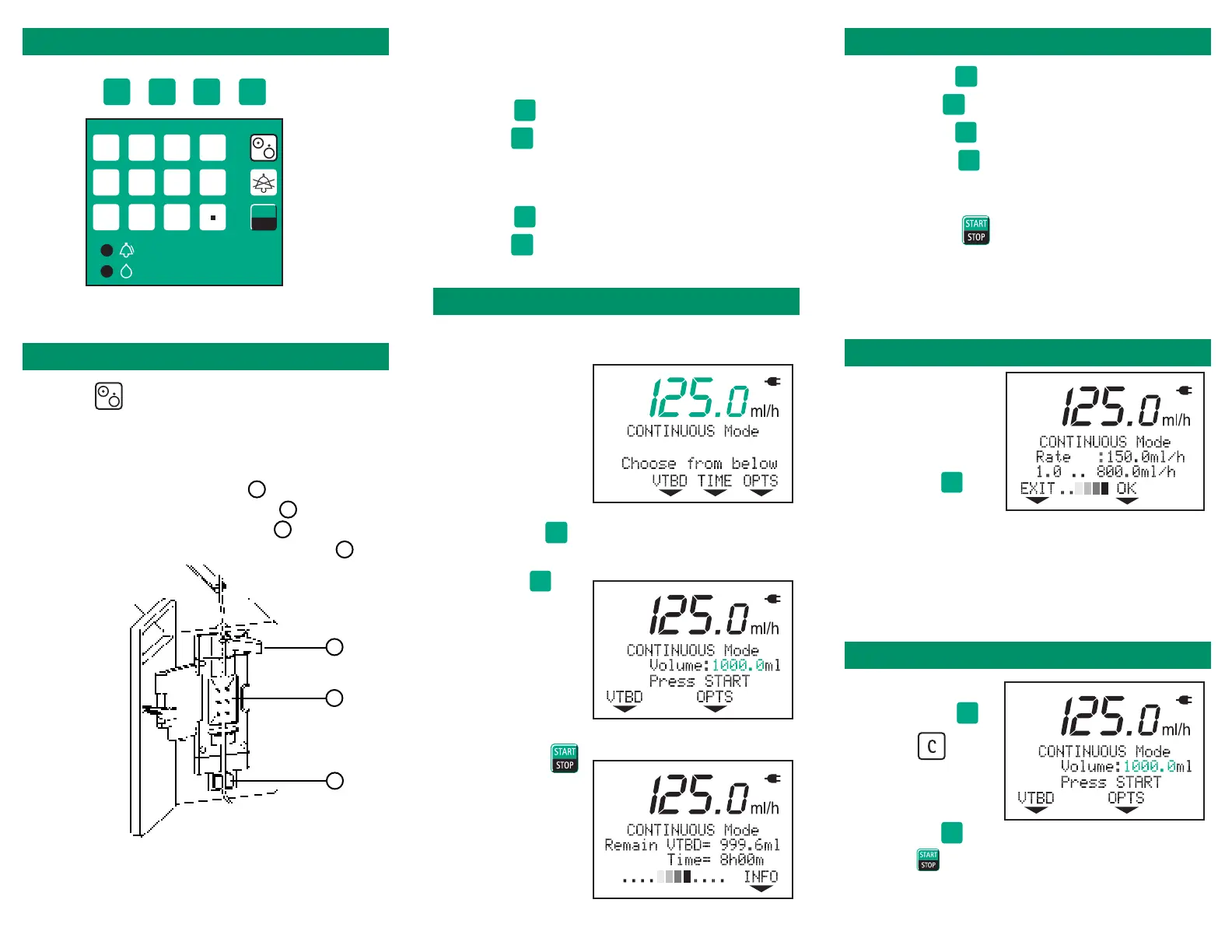
Important Keys
Setting the Pump
1. Press (On/Off).
2. Press button on top of door to open.
3. Insert tubing into pump.
• Push open tube pincher A
• Place tubing in tube pincher A
• Insert tubing along channel B
• Push tubing into Air In Line Detector C
4. Close Door.
Yes, No, OK, etc.
On/Off
(Power)
Alarm Silence
Start/Stop
Alarm Light
Infusing Light
Number
Keys
A
B
C
5. Is this a new therapy?
• Yes : clears current infusion data.
•No
: returns pump to last
programmed infusion.
6. Prime set?
•Yes
: follow prompts to prime tubing.
•No
: begin programming infusion.
Continuous Mode
1. Enter the rate using the number keys.
2. Press VTBD
.
3. Enter the bag volume using the number keys.
4. Press OK
.
5. Press START
.
Changing the Rate
1. While infusing,
enter the new rate
using the number
keys.
2. Press OK
.
NOTE:
If the OK key is not pressed within 10 seconds
of the change, the infusion will continue at the
original rate.
Changing the VTBD
1. Stop infusion.
2. Press VTBD
.
3. Press
.
4. Enter the new
volume to be
delivered.
5. Press OK
.
6. Press
.
Piggyback Mode
1. Press OPTS until
PIGGYBACK
is displayed
2. Press ON
.
3. Press END
.
4. Press PIGY
.
5. Enter Rate/VTBD or VTBD/Time as in
Continuous Mode.
6. Press START .
950853-Rev 06/02













 To Previous Page