EasyManua.ls Logo

B2 HVA34 - Viewing Saved Reports

B2 HVA34
69 pages
Print Icon
To Next Page IconTo Next Page
To Previous Page IconTo Previous Page
Loading...
6
Reporting Procedure
© b2 electronic GmbH
DHV0078 b2 EN
53
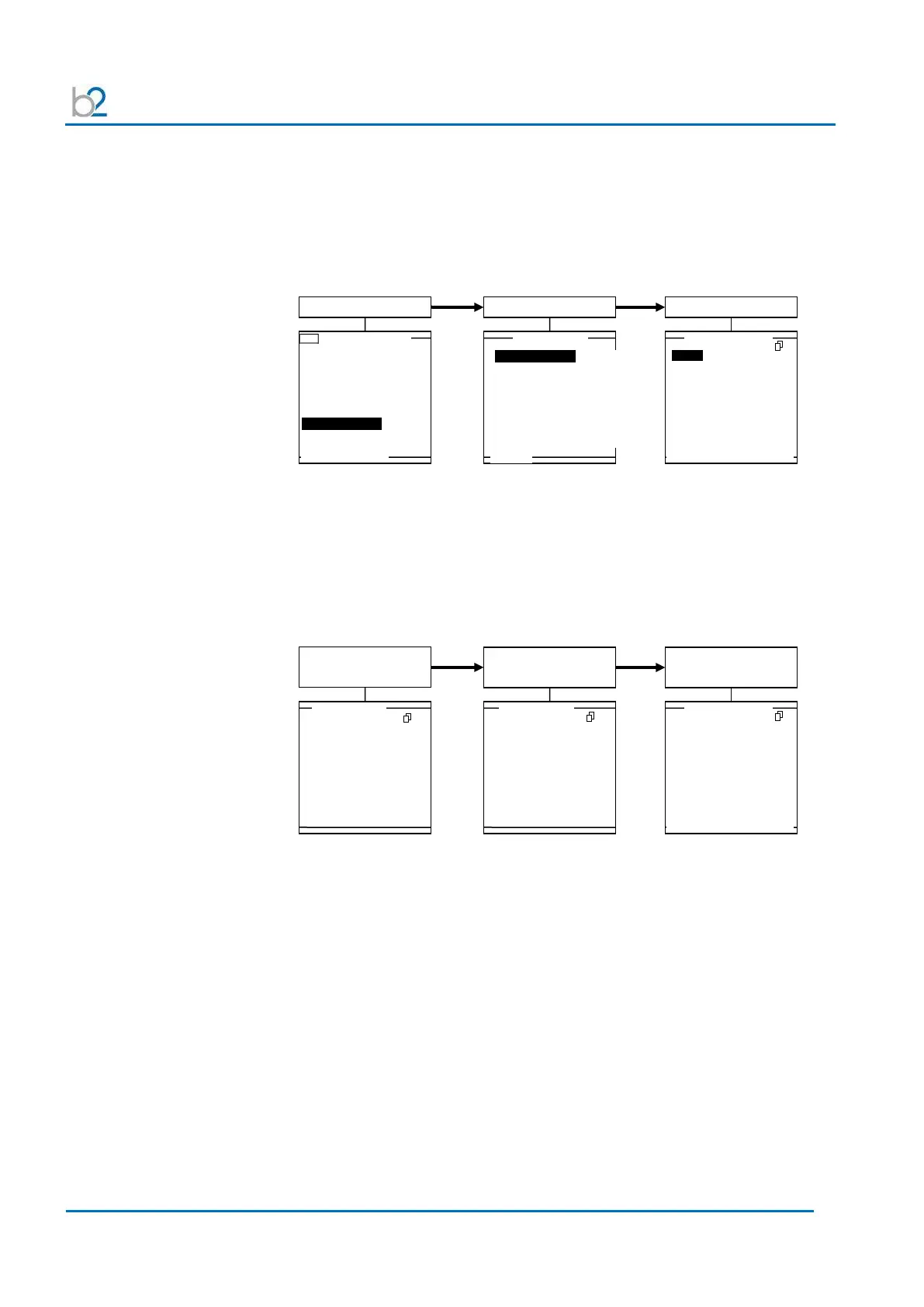
Viewing report
Reports can be viewed directly on the HVA display screen. In “Reports & Setup,
the number of reports saved appears in parentheses following “View Reports.
Reports are listed according to date, with the first entry corresponding to the latest
report saved.
When a report is selected, the screen header indicates:
“Reference # of report in view/total number of reports saved.
The upper right-hand corner displays:
Page # in view/total number of report pages.”
Main Menu
USB - Main Menu HVA120
Use Last Test Seq.?
3.0kV Maint. C. HYBR (T)
Start a New Test
Manual Mode
Reports & Setup
13.3.2009 10:23
Reports &Setup
Reports & Setup
View Reports (2)
Store Rep. to USB
Edit Auto Test Seq.
Instrument Settings
Display Contrast 4
Service
USB
MAIN
View Report 2/2.
ALPHA
ALPHA 2
MAIN SELECT DEL CLR-ALL
1/3
Rep. 2/2
Page 1/3
Report 2/2
Page 1/3
Report 2/2
Page 1/3
View Report 2/2.
MAIN SELECT DEL CLR-ALL
3/3
ALPHA Ph: RED
18.3.2009 14:18
1.0kV Cable XPLE
Maintenance Test Interrupted
Comp: HV
Region: CHEROKEE
Station: BETA1
Oper.: J.SMITH
W.Order: WOO9A
ALPHA Ph: RED
Len.: 200 m Size: 4/0
Manuf.:
ABC
Test Voltage: 13.0kVrms
Duration: 15min
Waveform: Sine 0.1Hz
Test Interrupted
at step 1 after 0min.
by user stop
ALPHA Ph: RED
Measurements:
Load: 57.1nF , 348M
Ω
S1: 76.1kV 585µA 0.1Hz
View Report 2/2
View Report 2/2
1/3
2/3

Related product manuals