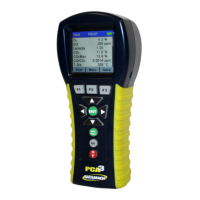
PCA
3 Manual
30 0024-9473 Rev 3
4.8. Oil Derivative
This screen allows the user to manually enter YES or NO as to whether oil
derivatives were present during the smoke test. This setting will be displayed on
the Run / Hold screen.
1. Display the MAIN MENU by pressing the MENU (F2) button. If
necessary, press ESC until MENU appears above F2.
2. Use the ▲▼buttons to highlight SETUP, and then press ENT to display
the SETUP MENU.
3. Use the ▲▼buttons to highlight Oil Derivative, and then press the ENT
key to display the Oil Derivative Menu.
4. Use the ▲▼ buttons to highlight oil derivative YES or NO, and th en
press ENT to save and return to the SETUP MENU.
Figure 4-8. Configuring for the Presence of Oil Derivatives
4.9. Boiler Temperature
This screen allows the user to manually enter a boiler temperature as measured
by an external measuring device. Boiler temperature will be displayed on the
Run / Hold screen.
1. Display the MAIN MENU by pressing the MENU (F2) button. If
necessary, press ESC until MENU appears above F2.
2. Use the ▲▼buttons to highlight SETUP, and then press ENT to display
the SETUP MENU.
3. Use the ▲▼buttons to highlight Boiler Temperature, and then press the
ENT key to display the Boiler Temperature screen.
4. Use the ▲▼ buttons to modify the highlighted number and the ◄►
buttons to move the cursor across the input field to enter the boiler
temperature.
5. Press ENT to save this information and return to the Setup Menu.


 To Next Page