PCA
3 Manual
0024-9473 Rev 3 41
Figure 4-23. Selecting the Calibration Reminder Period
4.21. Run/Hold Screen Format
PCA
®
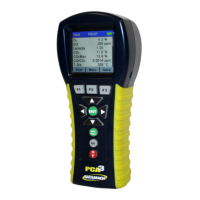
3 test data is located in the Run/Hold screen. By pressing the
RUN/HOLD
key, you should hear the pump running and see the word RUN at
the upper left hand corner of the display. The instrument is continuously
measuring and calculating the data that is shown in the Run/Hold screen. Press
the
RUN/HOLD
key again, the pump should stop running and the word HOLD
should be shown at the upper-left hand corner of the display. The instrument will
now show the last measured and calculated data taken before the instrument
was placed in HOLD. Use the up and down arrow keys to scroll through the
complete list of measured and calculated values when the instrument is running
or in the hold mode. The default order in which data appears in the Run/Hold
screen is shown below.


 To Next Page