‐
7
‐
Power Level
The display is integrated with the controller to provide
several levels of power. Press
or
to change the levels.
The Default range is 0 - 3, where 0 means no output, and 3
means maximum output. The default switch-on is level 1.
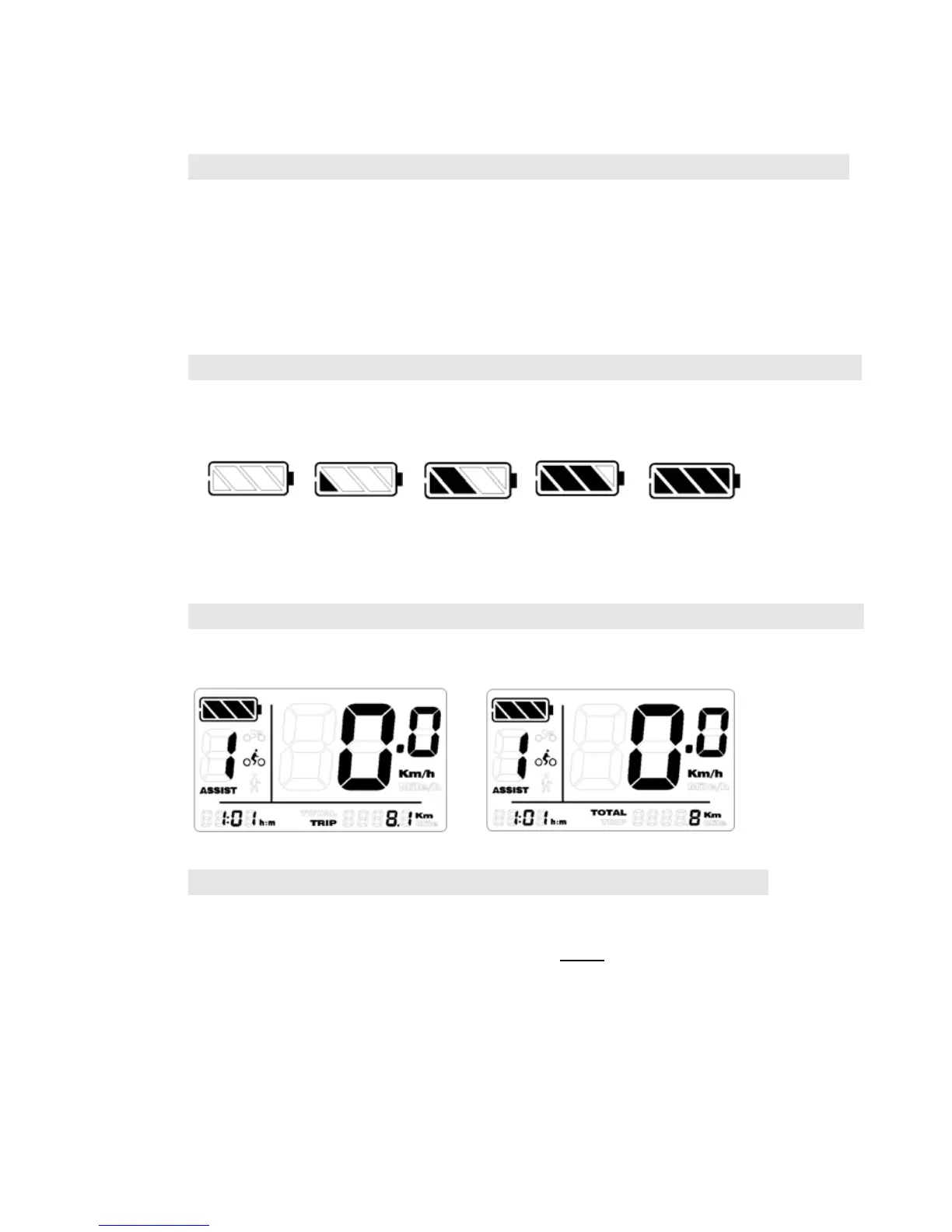
Battery Capacity
Four sections highlights when battery is full.
Percentage of capacity for sections:
<20% 20%-40% 40%-60% 60%-80% 80%-100%
The battery icon flashes at 1 Hz when low power.
Distance (trip and odometer)
Press
to shift between TRIP and TOTAL (Odometer).
TRIP Reset
With the power on, Press and hold both
and
to clear
TRIP distance.











 To Next Page