8
BF-UM-C-DP C13-EN November 2019
7.7.1.4 Set Auto Off
When the system is on, press and hold (>2S)
the
and button at same time to
access the “Setting” interface, repetitively
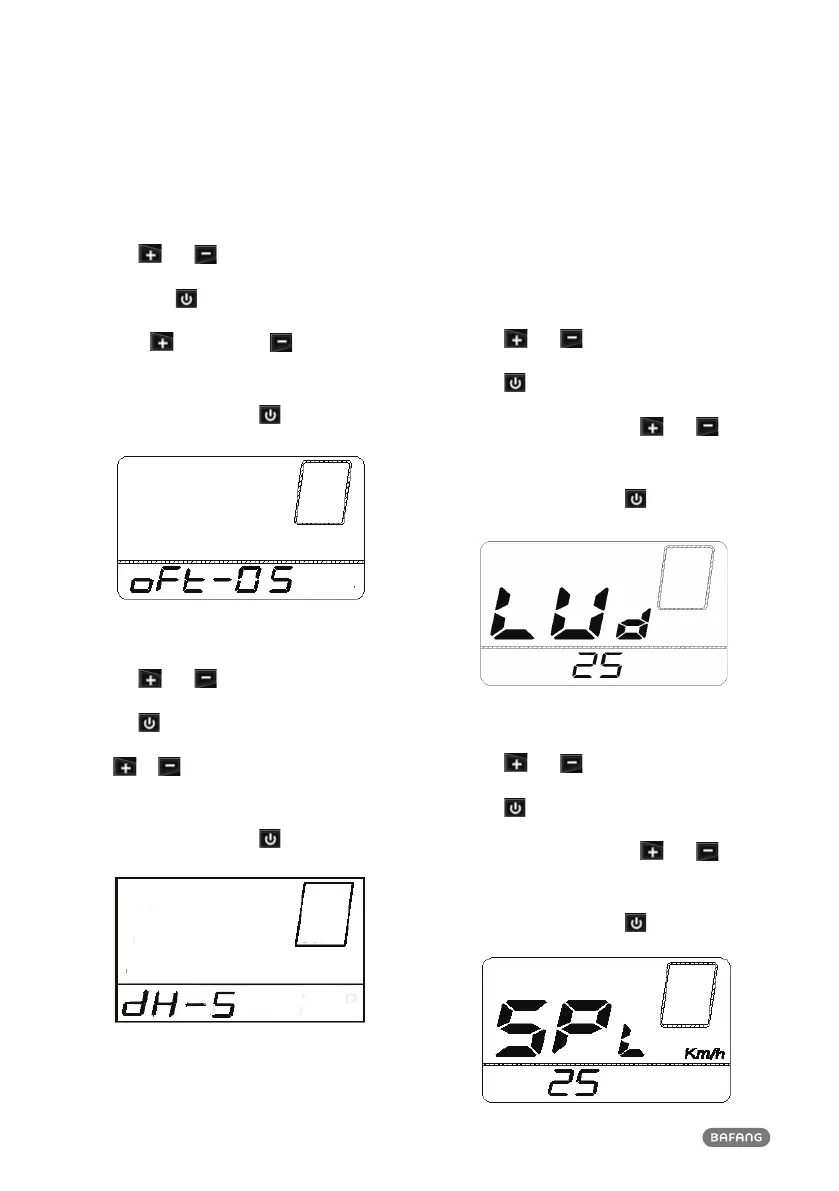
press the button until the “oFt” appears
on the display (as shown below). And then
press to increase or to reduce (Auto
Off for 1-9 minute).
Once you have chosen your desired selec-
tion, press (<0.3S) the
button to save
and to enter next item "Service Tip".
7.7.1.5 Set support level
When the system is on, press and hold (>2S)
the
and button at same time to ac-
cess the “Setting” interface, repetitively press
the button until the “dH” appears on the
display (as shown below). And then press
or to select support level (3,5,9), The
level is 5 in default.
Once you have chosen your desired selec-
tion, press (<0.2S) the
button to save
and to enter next item "Wheel Size".
7.7.2 View Information
All data in this item cannot be changed, only to
be viewed.
7.7.2.1 Wheel Size
When the system is on, press and hold (>2S)
the
and button at same time to ac-
cess the “Setting” interface, repetitively press
the button until the “LUd” appears on
the display (as shown below). And you can
press and hold (>2S) the and button
together exit to the main interface.
Once you have viewed your desired informa-
tion, press (<0.2S) the
button to enter
next item "Speed Limit".
7.7.2.2 Speed Limit
When the system is on, press and hold (>2S)
the
and button at same time to ac-
cess the “Setting” interface, repetitively press
the button until the “SPL” appears on
the display (as shown below). And you can
press and hold (>2S) the and button
together exit to the main interface.
Once you have viewed your desired informa-
tion, press (<0.2S) the
button to enter
next item "Controller software info".











 To Next Page