3-42
3
Leisure Home Equipment
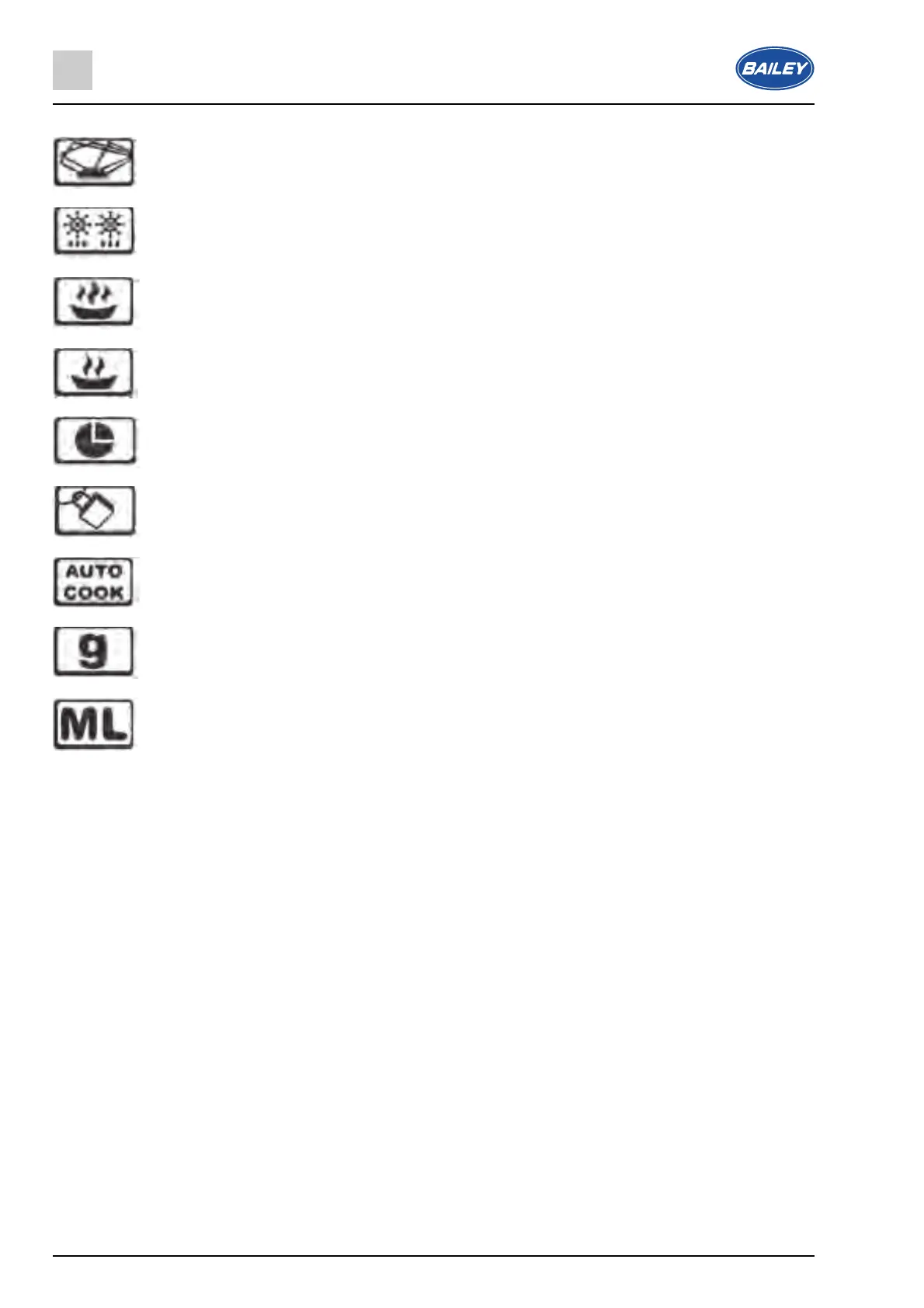
Indicates that microwave cooking is taking place.
Indicates that defrosting is taking place.
Indicates that a high power level is selected.
Indicates that a low power level is selected.
Indicates that the time of day is shown on the display.
Indicates that the safety lock is engaged.
Indicates that the auto menu function has been selected.
Indicates that grams are shown on the LED display.
Indicates that millimetres are shown on the LED display.
3.12.8 Setting the clock
● When your appliance is connected to the power supply for the first time, the LED display (A) will
show 0.00 and an audible signal will sound once.
● Press the Clock/Pre-set time button (J), the hour digits will flash.
● Use the adjustment dial (G) to adjust the hour time.
● Press the Clock/Pre-set time button (J) to confirm the hour time. The minute digits will flash.
● Use the adjustment dial (G) to adjust the minute time.
● Press the Clock/Pre-set time button (J) to confirm the minute time. The “:” symbol will flash and the
time of day will light on the LED display (A).
3.12.9 Before first use
● To remove any residue from the oven that may have been left from the manufacturing process,
you should place a cup that is half filled with water in the microwave.
● Set the microwave on its highest power level for 2 minutes.
● The oven cavity and outside of the appliance should be cleaned with warm soapy water, using
either a sponge or soft cloth. No abrasive cleaners should be used. The appliance should be
thoroughly dried afterwards.



 To Next Page