Revolution
Transforming the Control of Hot Tubs
35
Manufactured under one or more of these patents. U.S. Patents: 5332944, 5361215, 5550753, 5559720, 5,883,459, 6253227, 6282370, 6590188, 6976052, 6965815, 7030343, 7,417,
834 b2, Canadian Patent: 2342614, Australian patent: 2373248 other patents both foreign and domestic applied for and pending. All material copyright of Balboa Water Group.
JETS AUX LIGHT HEAT
Temperature Display (F/C)
Provides the option to choose between Fahrenheit & Celsius.
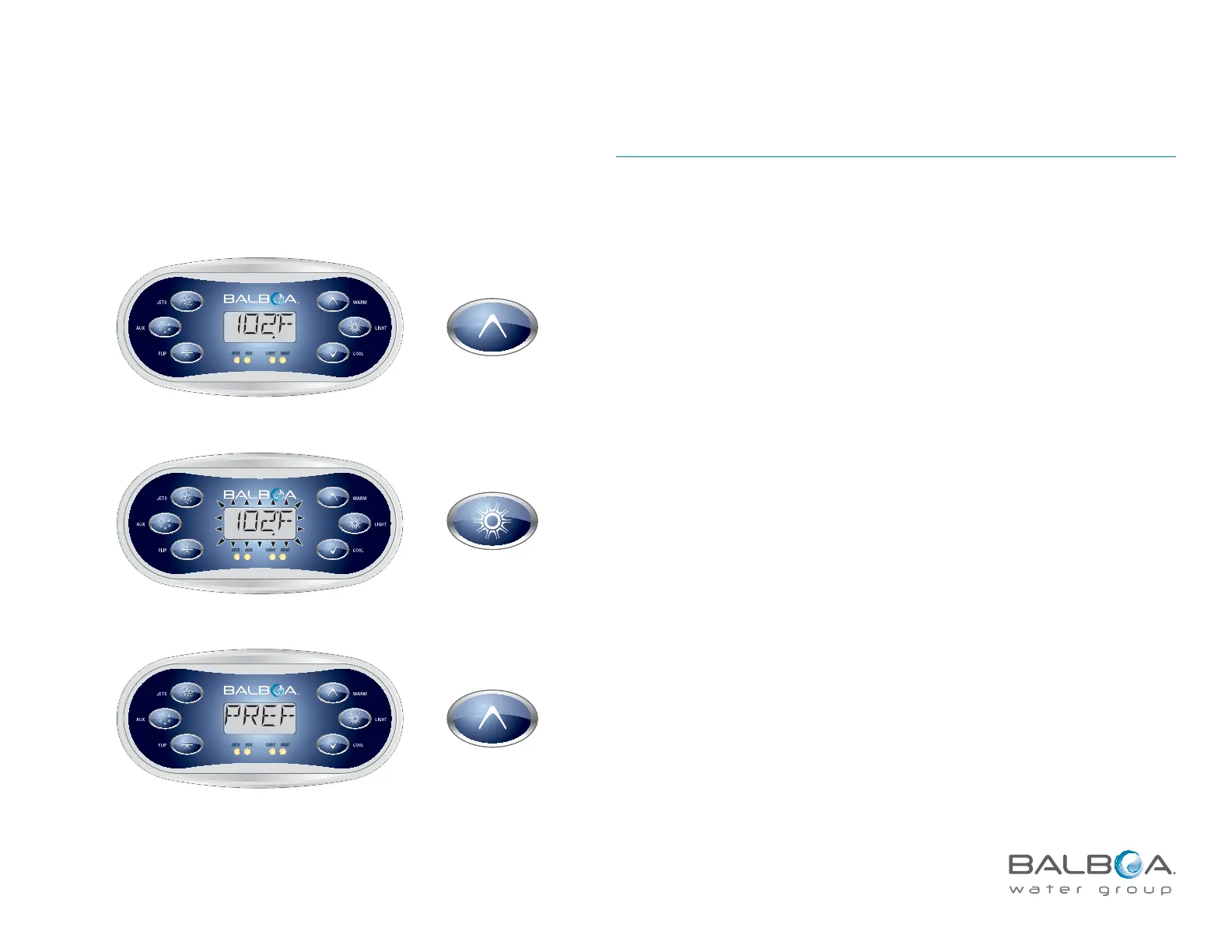
Main Menu > PREF > F/C
To choose between Fahrenheit and Celsius, toggle between F & C in PREF menu.
Press LIGHT to exit.
READY
R
ANGE
FLTR
1
JETS AU X LIGHT HEAT
READY
R
ANGE
FLTR1
JETS AUX LIGHT HEAT
Press LIGHT
repeatedly until
PREF appears.
The temperature flashes.



 To Next Page