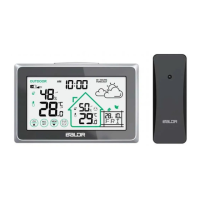
3
9. Barometric history for the past 12 hours
10. Calendar display
Weekdays in 7 languages
11. Current time
12/24 hour format optional
12. Frost-point warning
13. High/Low temperature alerts
14. Low battery indication
15. Moon phase
16.“ ” button
17.“ SET ” button
Enter manual setting
18.“ ” button
Check alarm time, turn on/off alarm, enter into alarm setting
19.“ ▲/CH ” button
Clear sensors data and re-registration or increase the data
20.“ ▼/RCC ” button
RCC function or decrease the data
21.“ ALERTS ” button
Check or enter into temperature alerts setting
22.“ MEM ” button
Check or clear Max/Min records
23. Stand bracket
24. Hanging hole
25. Battery compartment
1. The default year is 2020, if the weekday display is incorrect,
Please confirm the year was set correctly. (for manual setting only)
2. The CR2032 cell battery for memory function (included), please
do not use it as a power supply. If you need to replace the cell
battery, please take out the part device as shown in the figure
below, load a new battery matching the polarity(+and-).
Notes:


 To Next Page
 Loading...