12
435
6
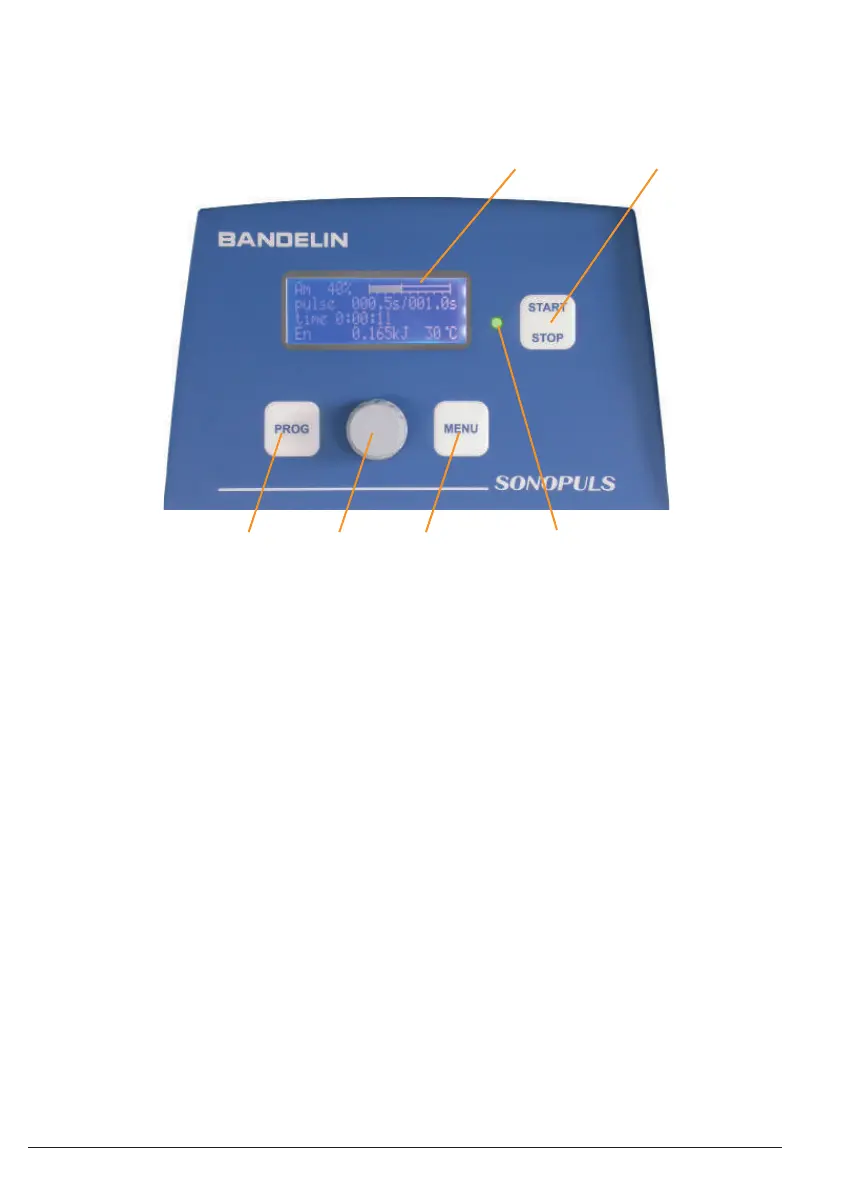
green light: Ultrasound operation
blinking green: Remote control over the
digital IR interface
or
red light: Error messages
blinking red: Warning messages
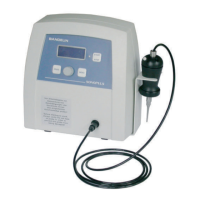
1 LCD display Display of the operating parameters and status information
2 “START/STOP” button Starting or stopping the ultrasound emission, ending functions,
leaving the menu
3 “PROG” button Calling-up the save options, moving within the menu (backward)
4 Rotary knob Setting the operating parameters (right/left, without dead stop)
5 “ MENU” button Calling-up the list of editable operating parameters, moving within
the menu (forward)
6 Control LED
14 / 38 51406c GB/2019-07
1 electronic GmbH & Co. KG • Heinrichstraße 3-4 • 12207 Berlin • Deutschland • info@bandelin.com
3 Operation
3.1 Operating elements
Operation is conducted from the operating and display panel on the front side of the HF generator:


 To Next Page