23 / 3851406c GB/2019-07
1 electronic GmbH & Co. KG • Heinrichstraße 3-4 • 12207 Berlin • Deutschland • info@bandelin.com
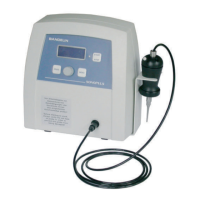
Step 3 : Turn on the homogenizer
Turn on the homogenizer with the power switch.
All saved data and settings will be loaded. Check the settings and load a different programme
if necessary, see chapter 3.3.
Step 4 : Activate the ultrasound
Select a small amplitude at the start to prevent any splashing onto the ultrasonic transducer.
Observe the maximum-allowed amplitude, see chapter 4.3.
Activate the ultrasound
Warning, risk of splashing!
This is especially the case with small sample quantities and when immersing oscillating probes.
Step 5 : Remove the sample
After sonication, the probes are to be removed from the medium. Leaving them in the sonicating
medium for a longer time can cause damage to the probe.
Once the programme or time setting has elapsed, the delivery of ultrasound ends
automatically.
If continuous sonication has been set, the ultrasound delivery must be stopped manually.
Remove the probe from the sonicating medium.
Step 6 : Clean the probe
In order to prevent contamination with other sonicating media, probes are to be thoroughly
cleaned after every sonication, see chapter 5.2.
Turn off the homogenizer with the power switch.
Clean the probe and check the wear on the sound emitting surface at regular intervals, see
chapter 5.1.


 To Next Page