HS 2000 User Manual
Part 5 - Options
HB-0846-03
5-4
5.3.2 Display Configuration
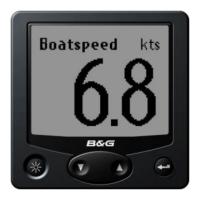
The 20/20 can be configured to display any function available on
your HS 2000 System. It is, however, provided with 14 pre-set
functions which may be selected by use of a Remote Push-Button
connected to the display or via any FFD on the system.
The pre-set functions are as follows:
Boat Speed Depth (m)
Depth (ft) Compass Heading
Apparent wind Angle True Wind Speed
True Wind Angle Velocity Made Good
Compass Heading Timer Count Up/Down
Bearing to Waypoint* Course Over Ground*
Speed Over Ground* True Wind Direction
Note
Functions marked with an asterisk are NMEA Functions and will
not be available unless a position fixer is interfaced with the
system.
5.3.3 Function Selection - Remote Push-Button
If a Remote Push-Button is connected to a 20/20 Display, any one
of the 14 pre-set functions may be selected by pressing and
holding down the associated push-button. The Display will then
cycle through the functions. When the required function is
displayed, release the Push-Button.
If the Push-Button is held down too long and the required function
is missed, press and hold down the Push-Button again. The
Display will then cycle though the functions in reverse order. When
the required function is displayed, release the Push-Button.
5.3.4 Function Selection - FFD
An alternative to using a dedicated Remote Push-Button, is to
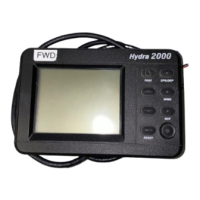
control the 20/20 using any one of the standard FFDs in the
system. If there are two or more 20/20s these can also be
controlled from the same FFD.
To change the function displayed on a 20/20 using a standard
FFD, proceed as follows:
(1) At the FFD, press and hold down the Page Key for at
least 3 seconds. The FFD display will change to show the
function displayed on the 20/20 together with the display
number. The selected Display will commence to flash.


 To Next Page