C+ C-
F
F
For conditions to switch to the alarm mode and associated fog ejection,
see previous page. 6 "Alarm Input" and p. 12 "Flow chart".
If you do not want to use the confirmation input, put Dip C OFF and
leave both Conf. input terminals disconnected.
The BANDIT will then always switch directly into “alarm mode” without
the need for any confirmation.
Dip C
ON
Dip C
OFF
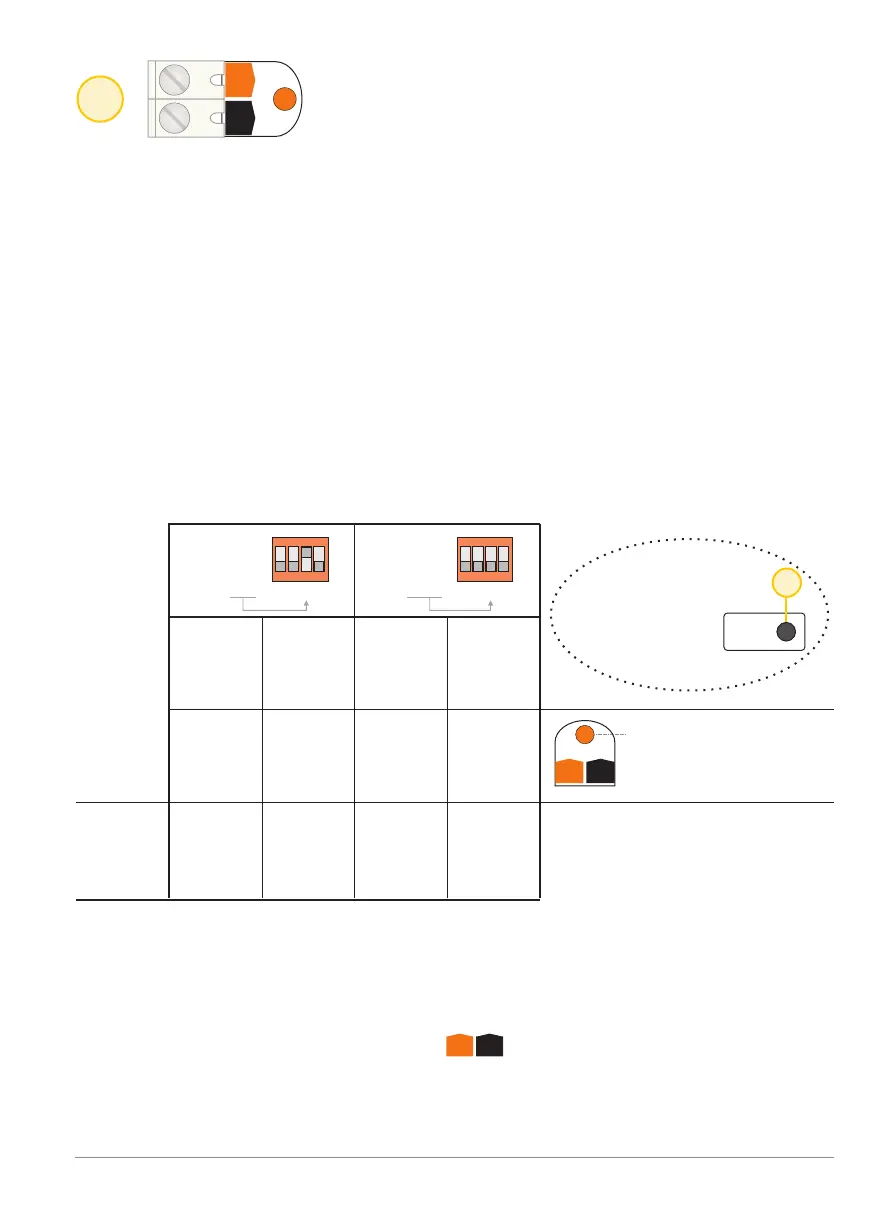
Confirm
Conf. LED lights as long
as there is 12 V present
on the Conf.-input
4
Input: Confirmation input [Conf.]
Conf.
Conf.
C+
C+
C-
C-
G
G
A
A
C
C
F
F
Inputs Inputs
ON ON
2 21 13 34 4
Through this input permission to switch to “alarm mode” is provided to the
BANDIT.
The purpose of this feature is to postpone proceeding to “alarm mode” until
a local zone or intrusion detector confirms the burglary.
Features of the confirmation input [Conf.]:
The BANDIT can only switch to “alarm mode” if the Alarm input [Alarm] and
Confirmation input [Conf.] are simultaneously active while the device is
in Guard mode [Guard].
Control of the confirmation input [Conf.]
Depending on the position of dip-switch C, confirmation will be provided to
switch to the alarm mode from the alarm input [Alarm].
Logical truth chart for the Confirmation input [Conf.:
BANDIT Controller CF31 v2 / Manual v.102
Confirmation input - p. 7
12 V
on
Guard
No
voltage
on
Guard
No
voltage
on
Guard
12 V
on
Guard
on
yes
no no
yes
off off
on
F
15
Read
dips
Changes to dip-
switch settings
are only valid
once confirmed


 To Next Page