18 Coronis 5MP
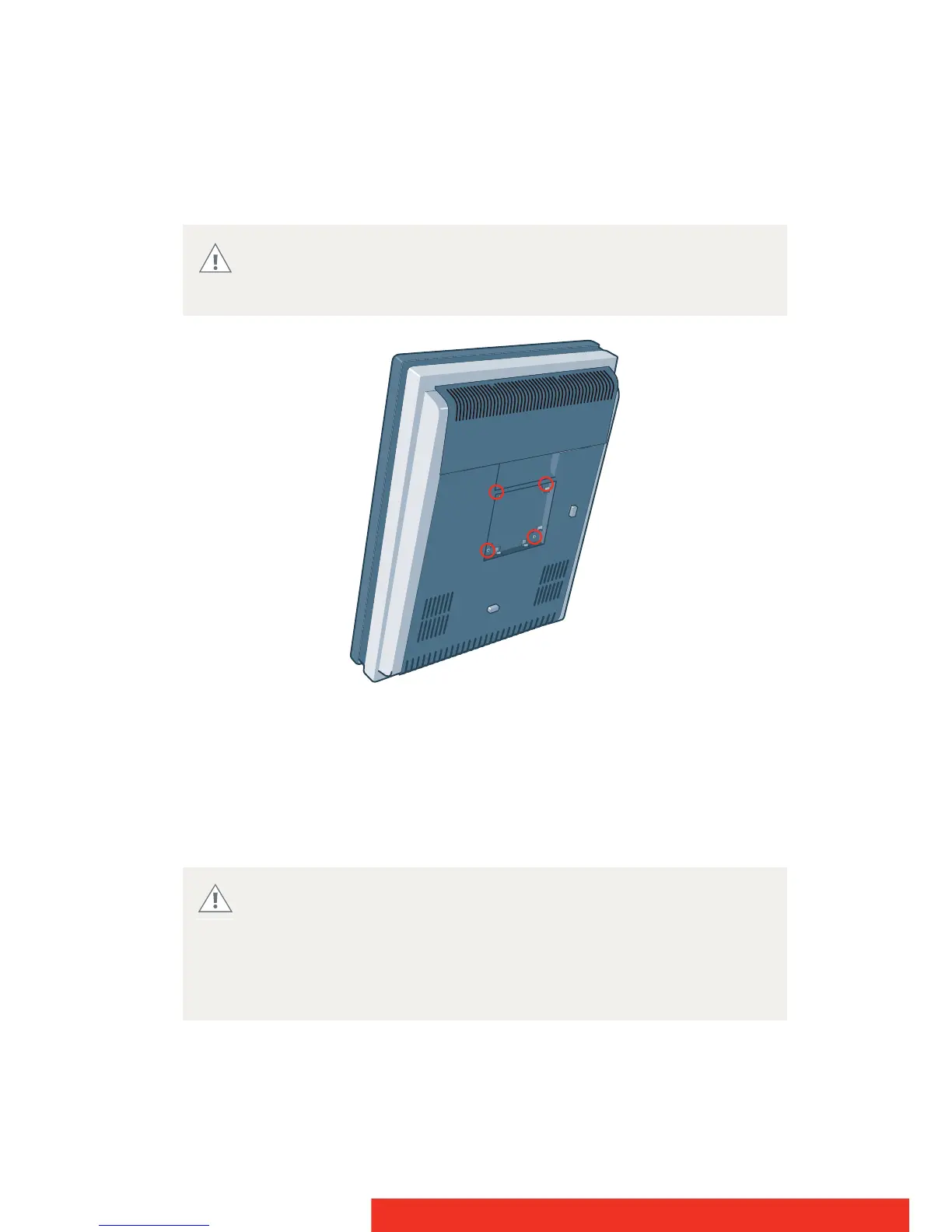
USING A VESA MOUNT
The display mounting anchor is compatible with the VESA 100 mm
standard.
Figure 11: VESA mounting screws
1 Unscrew the four fixation screws in the mounting anchor.
2 Attach the display firmly to the VESA mounting bracket with 4
screws M4 x 10 mm. You should mount the display in portrait
position. Landscape position is not supported.
Use a mounting bracket that can support the weight of the
display. Refer to the technical specifications of this display for
the applicable weight.
Never move a display attached to an arm by pulling or pushing
the display itself. Instead, make sure that the arm is equipped
with a VESA approved handle and use this to move the display.
Please refer to the instruction manual of the arm for more
information and instructions.


 To Next Page