EasyManua.ls Logo

Barco MVGD 1319 - User Manual

Barco MVGD 1319
64 pages
Print Icon
To Next Page IconTo Next Page
Loading...
Installation & User Manual
MVGD 1319

Questions and Answers

  • C
    Charles SheaAug 4, 2025
    Why is the screen of my Barco MVGD 1319 black?
    • M
      Michael ZimmermanAug 4, 2025
      If the screen of your Barco Monitor remains black, there might be several reasons. First, ensure you've followed the correct installation procedure as outlined in the manual. If the LED on the front is orange, the monitor is in standby mode. Also, verify in the Windows Display Properties that the display controller video heads are attached; otherwise, no image will appear. Finally, the external power supply could be defective.
  • Q
    qrileyAug 9, 2025
    How to fix image noise or interference on Barco MVGD 1319 Monitor?
    • K
      Katherine CastroAug 9, 2025
      If your Barco Monitor's image exhibits noise or interference, the video cable might be of poor quality. Check that the DVI video cable is firmly connected to both the PC and the display. If you are using analog video, the display may require Phase and Frequency adjustments.
  • S
    Stacy WestAug 15, 2025
    What to do if nothing happens when I press or rotate the control wheel on my Barco MVGD 1319 Monitor?
    • J
      Joseph CurryAug 15, 2025
      If nothing happens when you press or rotate the control wheel on your Barco Monitor, the User Controls may be disabled. Consult the section about the “User Controls” function for instructions.
  • A
    Angela WilliamsAug 22, 2025
    Why my PC does not start up with Barco MVGD 1319?
    • C
      christinepageAug 22, 2025
      If your PC does not start up when connected to the Barco Monitor, check the CMOS settings in the PC BIOS. Also, ensure that the display controller is firmly seated in the PCI connector.
  • D
    David BoyerAug 27, 2025
    Why does my Barco Monitor image contain missing pixels?
    • S
      Samantha PorterAug 27, 2025
      A number of missing pixels may be normal and inherent in LCD technology of Barco Monitor.

Summary

Preface and Safety Information

Document Notices and Compliance

Contains copyright, accuracy, licensing, FCC, Canadian compliance, and disposal information.

Essential Safety Instructions

Critical safety guidelines for electrical shock, water, ventilation, and general operation.

Product Overview

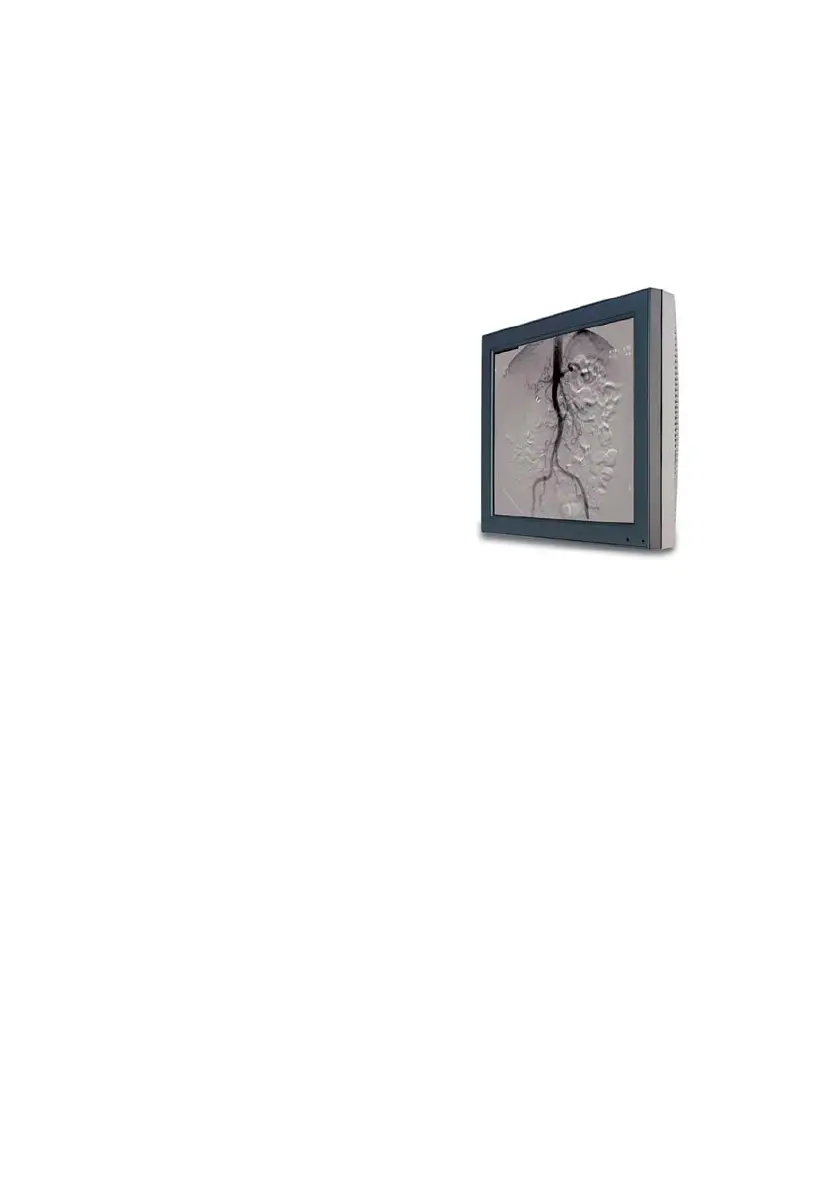
MVGD 1319 Display Features

Overview of the 19-inch display, BLOS®, ALC, and power saving technologies.

Front Panel Components

Identification of front-mounted ALC sensor, power LED, and control wheel.

Rear Panel and Connectors

Identification of rear panel components, connector compartment, and various video input ports.

Installation Guide

Installation Precautions

Important safety and handling precautions to observe before installing the display.

Connecting Power and Video Signals

Step-by-step instructions for connecting the display to power and video sources.

Arm Stand Mounting Instructions

Guidelines for securely attaching the display to a VESA-compatible arm stand.

Operating the Display

Basic Operation and Stand-by Mode

How to turn the display on/off, use stand-by, and manage power saving features.

OSD Navigation and Control

Guide to using Quick OSD, Extended OSD menus, and the control wheel interface.

Standard OSD Adjustments

Explanation of common OSD settings like Autosetup, Contrast, Brightness, and Luminance.

Advanced OSD Settings

Accessing and utilizing advanced OSD functions for fine-tuning and service purposes.

User Control Lock Functionality

Procedures for locking/unlocking control wheel functions to prevent unauthorized changes.

Maintenance and Troubleshooting

Cleaning Procedures

Guidelines for safely cleaning the LCD panel and cabinet with approved products.

Troubleshooting Common Issues

Identifying and resolving frequent problems like black screens, noise, and image defects.

Technical Information

Technical Specifications

Comprehensive data on the display's performance, dimensions, and power requirements.

Connector Pin Assignments

Pin assignments for DVI and D-Sub 15 connectors for accurate interfacing.

Glossary of Terms

Definitions of technical terms and concepts used throughout the manual.

Warranty Statement

General Warranty Terms

Overview of Barco's general warranty policy for products.

Warranty Exclusions and Obligations

Conditions not covered by warranty and customer responsibilities.

Warranty Remedies and Liability

Details on warranty claims, repairs, replacements, and liability limitations.

Barco MVGD 1319 Specifications

General IconGeneral
BrandBarco
ModelMVGD 1319
CategoryMonitor
LanguageEnglish

Related product manuals