User Manual “Streaming Client“ - V1.31 - 8. Jan. 2007
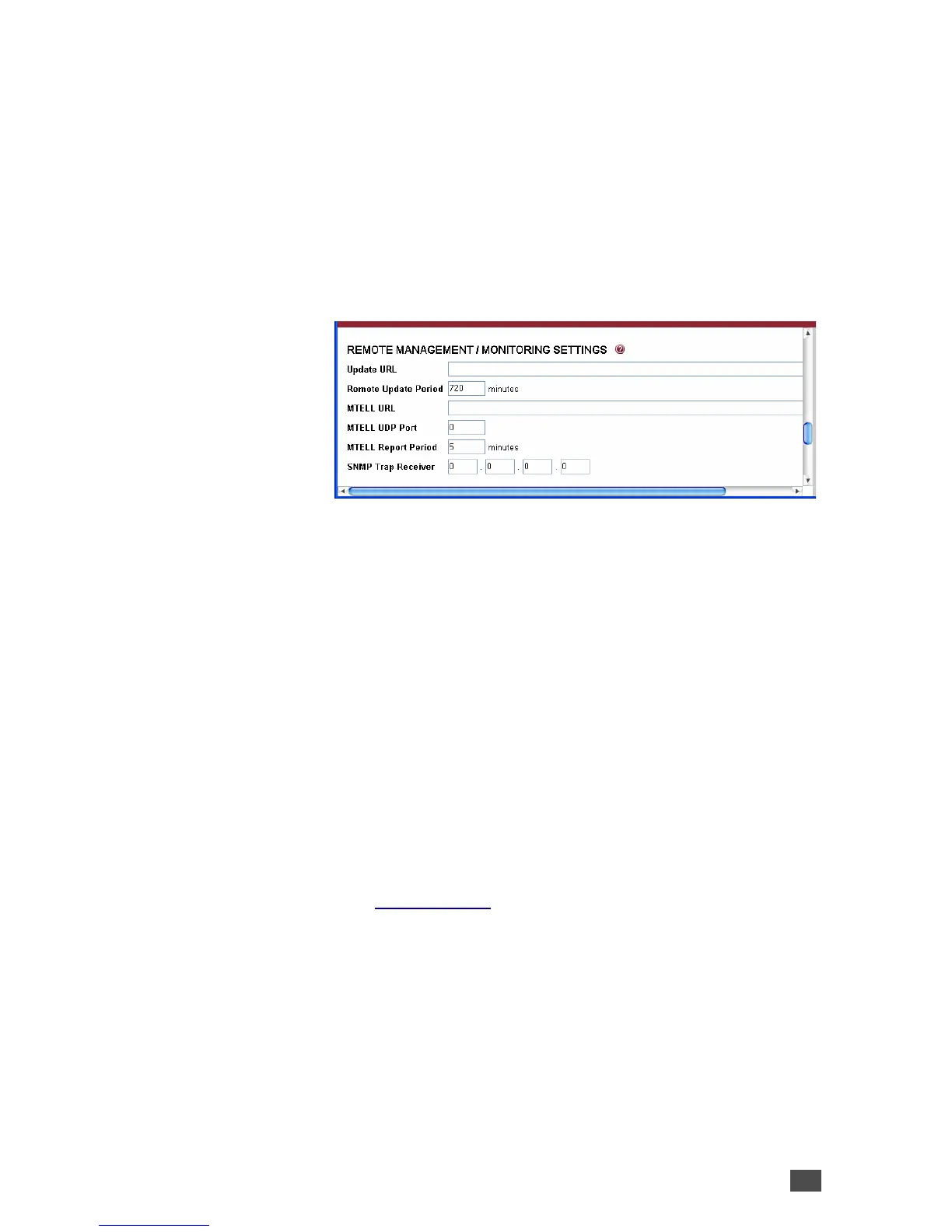
3.5 Remote management settings
This chapter explains how to adjust the way the Barix
device can be configured and update remotely as well as
how to configure it for current status information
delivery. For detailed information about the remote
update server requirements refer to the “Technical
Documentation”.
Update URL
Enter the URL of the web server (http) containing the
“configuration meta file” which can be used to remotely
change the configuration and / or to update the firmware.
Remote Update Period
Enter the time interval (in minutes) for the periodic
update check.
Default: “720” minutes
MTELL URL
Devices can be monitored using the MTELL technology
(see www.mtell.de). Enter the URL of the MTELL server.
MTELL UDP Port
Enter the port on which the current status of the device
can be discovered using the MTELL over UDP protocol.
Setting the port to “0” disables this function.
Default: “0” (disabled)
Device Configuration 27


 To Next Page