User Manual “Streaming Client“ - V1.31 - 8. Jan. 2007
• Supports automatic remote update of settings,
configuration and firmware
• Monitoring using SNMP and MTELL (HTTP, UDP)
• Supports the Barix IR Remote Control
• Automatic network configuration (BOOTP, DHCP,
AutoIP and IPzator) as well as manual static IP
configuration
• Features SonicIP ® announcing the IP address on
power up over the audio outputs
• Supports proxy server (HTTP proxy support)
• Autoplay functions plays all audio files without playlist
(standalone mode)
* These features are not available for legacy devices
(Exstreamer, Exstreamer Wireless, Exstreamer Digital
and Exstreamer Gold) as the USB port is missing.
1.3 Installing the device
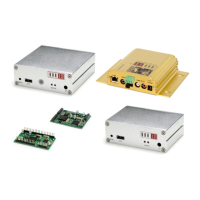
For the installation of the Barix Exstreamer 100 or the
Barix Exstreamer 200 please refer to the corresponding
“Quick Install Guide”.
A printed version is included in the box and can also be
downloaded from our site www.barix.com.
For the installation of the Barix IP Audio Module or the
Barix IP Audio Module 200 please refer to the
corresponding “Development Specification” which can be
downloaded from our site www.barix.com.
1.4 Additional documents
Technical specifications can be found in the
corresponding product sheet which can be downloaded
from our site www.barix.com.
8 Introduction


 To Next Page