www.micro-components.com, microComponents@bartels-mikrotechnik.de
Tel: +49-231-9742-500, Fax: +49-231-9742-501
5.4 Operation of the mp-x
The mp-x provides three parameters to be selected independently of each other to control the micropumps:
Frequency, amplitude and signal wave form.
It is possible to change the settings while the pump is operating. But to extend the life time it is advisable
to turn off the micropump first before changing the settings.
To operate the micropump, prepare the controller as described in point 5.3 and follow the steps below:
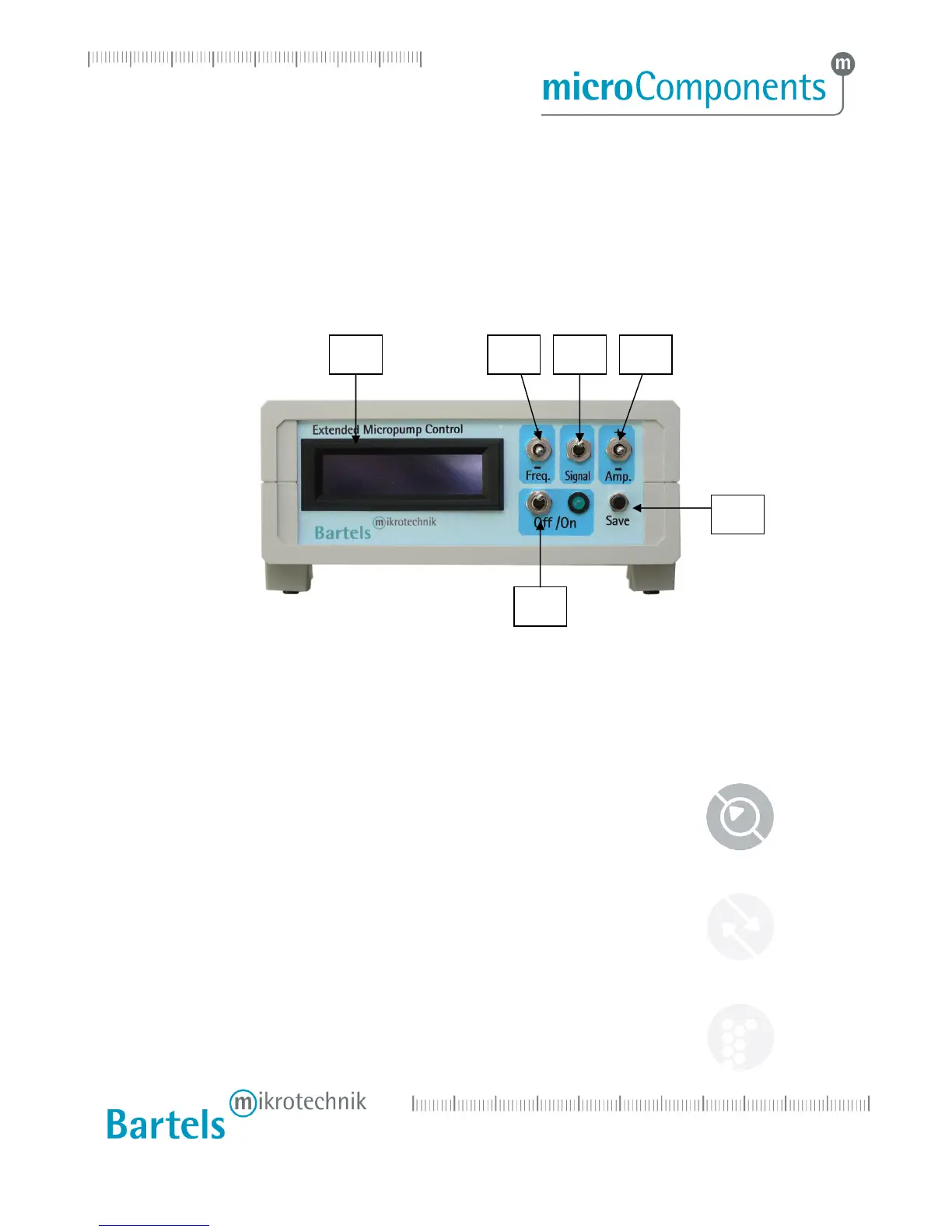
Step 1: Choose a frequency by pushing the frequency switch up and down.
Step 2: Choose one of the signal forms by pushing the signal switch.
Step 3: Set the amplitude by pushing the amplitude switch up and down.
Step 4: Push the on/off switch to turn on the micropump and the control diode.
Step 5: Push the on/off switch again and the micropump will stop while the control diode turns off.
Before the control unit is turned off, you can save the present settings by pushing the save switch. For
shutdown of the pump please switch off the mp-x first and then disconnect the power plug. Do not unplug
the micropump before switching off the controller.
1 LCD display
2 On/Off switch: push the on/off switch to turn the pump and control diode on or off
3 Save: push the save switch to save the present settings
4 Frequency (0 – 300 Hz): push the switch up to raise and down to reduce the frequency
5 Signal form modus: push the switch once to choose between SRS, rectangular or sine
6 Amplitude (0 – 250 V): push the switch up to raise and down to reduce the amplitude


 To Next Page