EasyManua.ls Logo

Bauer 1974E-B - User Manual

Bauer 1974E-B
19 pages
Print Icon
To Next Page IconTo Next Page
Loading...
!"#$%&'()*$&+"(*&+$,)-)#$(./
01+1#&"2-&3$4+1#$&)#%&5##,%66333/5)-4"-7-$185#/9":
;:)1(&"2-&#$95<19)(&+2,,"-#&)#%&,-"*29#+2,,"-#=5)-4"-7-$185#/9":
Owners Manual & Safety Instructions
Save This Manual Keep this manual for the safety warnings and precautions, assembly,
operating, inspection, maintenance and cleaning procedures. Write the product’s serial number in the
back of the manual near the assembly diagram (or month and year of purchase if product has no number).
Keep this manual and the receipt in a safe and dry place for future reference. 20i
When unpacking, make sure that the product is intact
and undamaged. If any parts are missing or broken,
please call 1-888-866-5797 as soon as possible.
Copyright
©
2020 by Harbor Freight Tools
®
. All rights reserved.
No portion of this manual or any artwork contained herein may be reproduced in
any shape or form without the express written consent of Harbor Freight Tools.
Diagrams within this manual may not be drawn proportionally. Due to continuing
improvements, actual product may differ slightly from the product described herein.
Tools required for assembly an d se rv ic e may n ot b e in cl uded.
Read this material before using this product.
Failure to do so can result in serious injury.
SAVE THIS MANUAL.
Question and Answer IconNeed help?

Do you have a question about the Bauer 1974E-B and is the answer not in the manual?

Summary

Warning Symbols and Definitions

Important Safety Information

General Power Tool Safety Warnings

Covers essential safety precautions for operating any power tool.

General Power Tool Safety Warnings

Electrical Safety

Details precautions related to power tool electrical connections and usage.

Personal Safety

Provides guidelines for operator awareness, PPE, and safe practices.

General Power Tool Safety Warnings

Power Tool Use and Care

Instructions on how to use and maintain power tools safely.

General Power Tool Safety Warnings

Vibration Safety

Guidelines to reduce risks associated with tool vibration exposure.

Grounding

Grounded Tools: Tools with Three Prong Plugs

Information on connecting three-prong plug tools to a grounded outlet.

Double Insulated Tools: Tools with Two Prong Plugs

Explanation of tools not requiring grounding due to double insulation.

Extension Cords

Extension Cord Safety Guidelines

Guidelines for selecting and using extension cords safely.

Extension Cord Symbology

Explanation of symbols used on extension cords and tools.

Specifications

Setup - Before Use

Mounting

Instructions for securely mounting the miter saw to a stable support.

Assembly

Steps for assembling components like the dust collection bag and sliding fence.

Functions

Work Area

Saw Blade Selection

Guard Setup

Dust Extraction Setup

Operating Instructions

Tool Changing

Step-by-step guide for replacing the saw blade.

Setting and Testing

Adjusting the Miter Angle

Procedure for setting the horizontal cutting angle of the saw.

Adjusting the Bevel Angle

Procedure for setting the vertical cutting angle of the saw.

Aligning the Fence

Using the Depth Stop

Kerf Board Replacement;Adjustment

Workpiece Set Up

Using the Workpiece Extension Supports

General Instructions for Use

Sliding Miter Saw Cutting Procedure

Detailed steps for performing cuts with the sliding miter saw.

Cutting Operations

Maintenance and Servicing Instructions

Cleaning, Maintenance, and Lubrication

Guidelines for tool cleaning, routine maintenance, and lubrication.

Checking and Calibrating the Fence

Procedure to ensure the fence is perpendicular to the saw blade.

Calibrating the Bevel Angle

Calibrating the Miter Angle Indicator

Troubleshooting

Summary

Warning Symbols and Definitions

Important Safety Information

General Power Tool Safety Warnings

Covers essential safety precautions for operating any power tool.

General Power Tool Safety Warnings

Electrical Safety

Details precautions related to power tool electrical connections and usage.

Personal Safety

Provides guidelines for operator awareness, PPE, and safe practices.

General Power Tool Safety Warnings

Power Tool Use and Care

Instructions on how to use and maintain power tools safely.

General Power Tool Safety Warnings

Vibration Safety

Guidelines to reduce risks associated with tool vibration exposure.

Grounding

Grounded Tools: Tools with Three Prong Plugs

Information on connecting three-prong plug tools to a grounded outlet.

Double Insulated Tools: Tools with Two Prong Plugs

Explanation of tools not requiring grounding due to double insulation.

Extension Cords

Extension Cord Safety Guidelines

Guidelines for selecting and using extension cords safely.

Extension Cord Symbology

Explanation of symbols used on extension cords and tools.

Specifications

Setup - Before Use

Mounting

Instructions for securely mounting the miter saw to a stable support.

Assembly

Steps for assembling components like the dust collection bag and sliding fence.

Functions

Work Area

Saw Blade Selection

Guard Setup

Dust Extraction Setup

Operating Instructions

Tool Changing

Step-by-step guide for replacing the saw blade.

Setting and Testing

Adjusting the Miter Angle

Procedure for setting the horizontal cutting angle of the saw.

Adjusting the Bevel Angle

Procedure for setting the vertical cutting angle of the saw.

Aligning the Fence

Using the Depth Stop

Kerf Board Replacement;Adjustment

Workpiece Set Up

Using the Workpiece Extension Supports

General Instructions for Use

Sliding Miter Saw Cutting Procedure

Detailed steps for performing cuts with the sliding miter saw.

Cutting Operations

Maintenance and Servicing Instructions

Cleaning, Maintenance, and Lubrication

Guidelines for tool cleaning, routine maintenance, and lubrication.

Checking and Calibrating the Fence

Procedure to ensure the fence is perpendicular to the saw blade.

Calibrating the Bevel Angle

Calibrating the Miter Angle Indicator

Troubleshooting

Overview

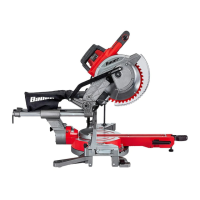
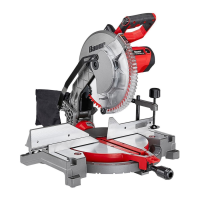
This document serves as an owner's manual and safety instructions for the Bauer 12" Dual-Bevel Sliding Compound Miter Saw, model 1974E-B. It provides comprehensive guidance on the safe operation, setup, maintenance, and troubleshooting of the tool.

Function Description

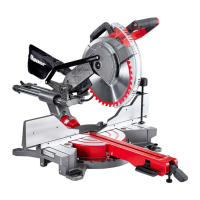
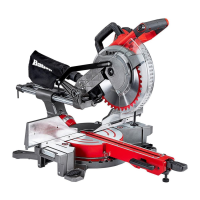
The Bauer 12" Dual-Bevel Sliding Compound Miter Saw is a power tool designed for cutting wood and wood-like products. Its primary function is to make precise cross cuts, miter cuts, bevel cuts, and compound cuts. The "dual-bevel" feature allows the saw head to tilt both left and right, enabling a wider range of angled cuts without having to flip the workpiece. The "sliding" mechanism allows the saw head to move forward and backward, increasing the cutting capacity for wider materials. The "compound" aspect refers to its ability to make both miter and bevel cuts simultaneously. This versatility makes it suitable for various woodworking tasks, including framing, trim work, and crafting. The saw is equipped with a Shadow Cut Line Guide System, which projects a shadow of the blade onto the workpiece, aiding in accurate alignment of cuts. A dust collection system, including a dust bag, is integrated to help manage sawdust and maintain a cleaner work area.

Usage Features

The manual emphasizes several key usage features to ensure both safety and optimal performance. Before any operation, users are instructed to read all safety warnings and instructions thoroughly. The saw requires proper mounting to a stable support, such as a workbench, using the provided bolt holes to prevent instability during use.

Setting up the saw involves several adjustments:

  • Miter Angle Adjustment: The miter table can be adjusted to various angles (up to 52° left and 60° right) for cross-cutting at an angle across the horizontal surface of the material. A Miter Lock Handle and Detent Latch Button allow for quick adjustments to common angles (0°, 15°, 22.5°, 31.6°, 45°, and 60°) or micro-adjustments by overriding the detents.
  • Bevel Angle Adjustment: The saw head can be tilted for bevel cuts (up to 48° left and right), which are angled cuts across the vertical surface of the material. A Bevel Lock Handle and Bevel Angle Lock Button facilitate these adjustments.
  • Depth Stop: For cuts that do not go entirely through the workpiece (e.g., kerfing or rabbet cuts), a Depth Stop can be engaged and adjusted using a Depth Adjustment Bolt and Lock Nut to control the cutting depth.
  • Sliding Fence: The saw features a Right Sliding Fence that can be adjusted and locked into position using a Fence Lock Knob to support the workpiece and ensure clearance from the blade during angled cuts.
  • Workpiece Extension Supports: Table Extensions on either side of the main table provide additional support for longer or wider workpieces, ensuring stability and preventing tipping. These extensions include a Cut Stop Lever for repetitive cuts.
  • Workpiece Clamping: The manual stresses the importance of securing the workpiece using clamps or other clamping devices (not included) to prevent movement, kickback, and improve cutting accuracy. Freehand cutting is strictly prohibited.

Operating the saw involves a specific procedure:

  1. Ensure the Trigger is in the off-position and the tool is plugged in.
  2. Unlock the Head Lock-Down Pin and raise the Saw Head.
  3. Verify all adjustment knobs (Miter Lock Handle, Bevel Lock Handle, Fence Lock Knobs, Table Extension Lock Levers) are tight.
  4. Clear sawdust and debris from the fence area and place the workpiece against the fence.
  5. Optionally, activate the Shadow Cut Line Guide System to align the blade's shadow with the marked cut line on the workpiece. Alternatively, align the blade directly with the mark, keeping the blade on the waste side of the cut.
  6. Secure the workpiece with the clamp.
  7. Grip the Saw Handle firmly, press the Trigger Lock Button, and squeeze the Trigger to start the saw.
  8. For narrow materials, press down lightly to "chop" the material. For wide materials, loosen the Slide Lock Knob, pull the Saw Head forward, press down, and then push the Saw Head toward the rear to complete the cut.
  9. After the cut, release the Trigger, wait for the blade to stop, and then remove the workpiece.
  10. Always turn off and unplug the tool after use and store it safely.

Maintenance Features

The manual outlines essential maintenance procedures to ensure the longevity and safe operation of the miter saw.

  • Pre-Use Inspection: Before each use, a general inspection of the tool is required. This includes checking for loose hardware, misalignment or binding of moving parts, damaged cord/electrical wiring, cracked or broken parts, and any other condition that might affect safe operation.
  • Post-Use Cleaning: After each use, external surfaces should be wiped with a clean cloth. The dust collection chute and the area around the Lower Blade Guard must be carefully cleaned to ensure the guard moves smoothly without sticking.
  • Dust Removal: Periodically, users should wear ANSI-approved safety goggles and NIOSH-approved breathing protection and use dry compressed air to blow dust out of the motor vents.
  • Blade Changing: The manual provides detailed instructions for safely changing the saw blade. This involves unplugging the tool, raising the saw head, loosening the Guard Plate Bolt, swinging the Guard Plate out of the way, pressing the Spindle Lock, and removing the Arbor Bolt (which has a left-handed thread). When installing a new blade, ensure its rotation arrow matches the arrow on the Upper Blade Guard. The Lower Blade Guard must operate smoothly after reassembly.
  • Fence Calibration: To ensure accurate cuts, the fence must be perpendicular (90°) to the saw blade. The manual describes a calibration process involving a test cut on scrap material and using a carpenter's square to check for accuracy. If adjustment is needed, the Fence Adjusting Bolts are loosened, the fence is gently tapped into position, and then retightened.
  • Bevel Angle Calibration: The saw blade must be exactly vertical (90°) to the table for accurate bevel cuts. The manual details a calibration process involving a test cut, checking with a square, and adjusting the 0° Bevel Set Bolt with a hex key if necessary. A similar procedure is outlined for calibrating the 45° bevel angle using the Left and Right 45° Bevel Set Bolts.
  • Miter Angle Indicator Calibration: The Miter Angle Indicator's accuracy should be checked after fence adjustments. This involves loosening an Adjustment Screw, rotating the indicator to exactly 0°, and then retightening the screw.
  • Kerf Board Replacement/Adjustment: If the Kerf Boards become damaged, they must be replaced. The process involves removing screws, installing new boards, and then adjusting them to ensure blade clearance at various bevel angles.
  • Troubleshooting: A troubleshooting section helps users diagnose and resolve common issues such as the tool not starting, operating slowly, decreased performance, excessive noise, or overheating. It provides possible causes and likely solutions, often recommending professional service for internal damage or electrical issues.
  • Power Cord Maintenance: The manual emphasizes the importance of maintaining the power cord in good condition, replacing damaged cords, and using appropriate extension cords to prevent voltage drop and tool damage.

Throughout the manual, emphasis is placed on personal protective equipment, such as eye protection and breathing protection, and maintaining a clean and well-lit work area free from distractions. Users are advised to avoid operating the tool while fatigued or under the influence of substances.

Bauer 1974E-B Specifications

General IconGeneral
Saw typeCircular Saw
Power SourceElectric
Blade Diameter7-1/4 inches
No-Load Speed5500 RPM
Cord Length6 feet
Arbor Size5/8 inch

Related product manuals