35
Assisted Mode
Manual
Settings
Sensor assisted cooking
AUTO
Meat
Poultry
Bread/Cakes
Roast Beef
Roast Pork
Hotdog
See instructions for use for hints
TEMPERATURE
END TIME
COOK TIME
200°C 00:40
11:55
Roast Beef
Ensure the water container is filled
with fresh tap water
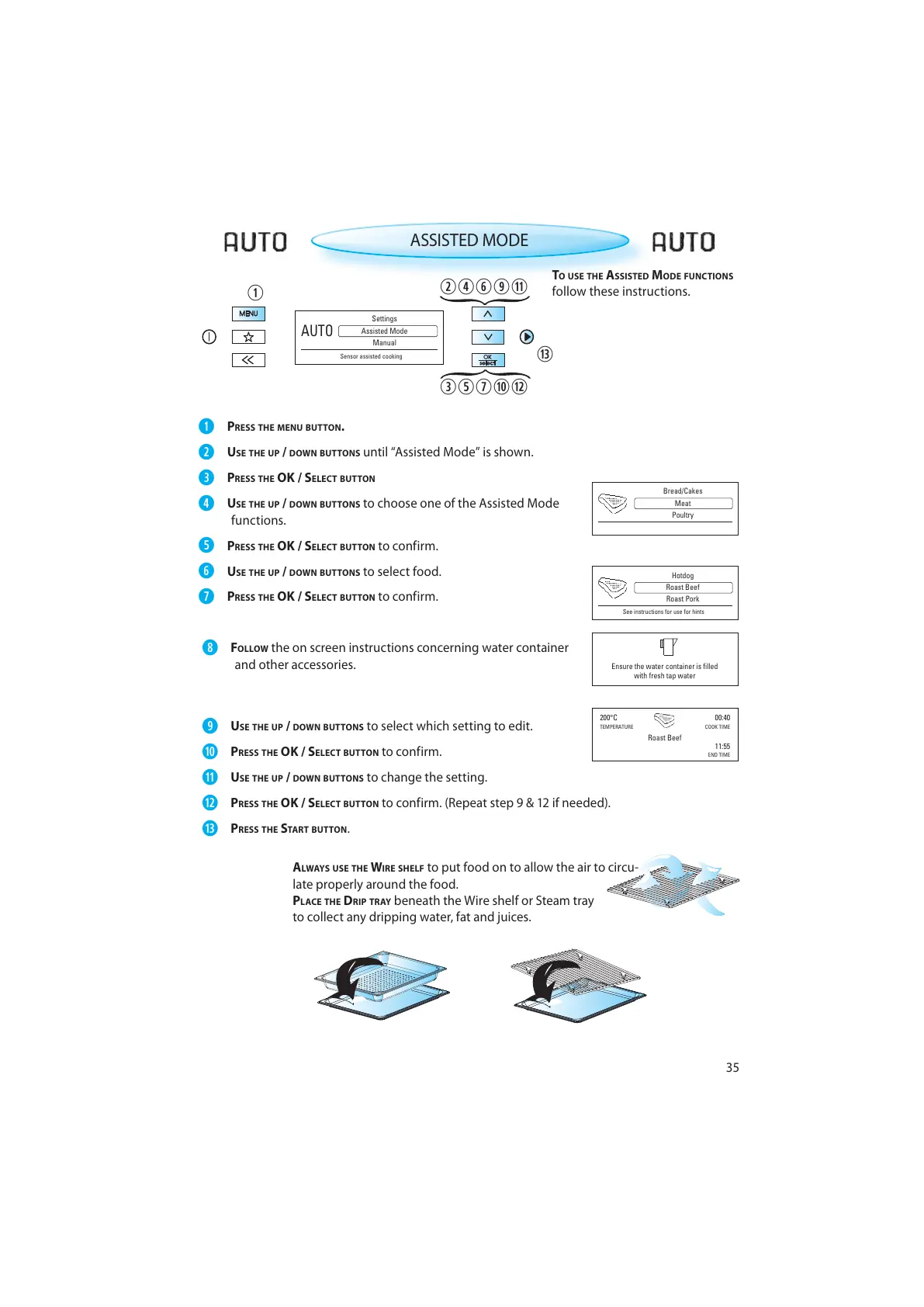
TO USE THE ASSISTED MODE FUNCTIONS
follow these instructions.
ASSISTED MODE
PRESS THE MENU BUTTON.
USE THE UP / DOWN BUTTONS until “Assisted Mode” is shown.
PRESS THE OK / SELECT BUTTON
USE THE UP / DOWN BUTTONS to choose one of the Assisted Mode
functions.
PRESS THE OK / SELECT BUTTON to confirm.
USE THE UP / DOWN BUTTONS to select food.
PRESS THE OK / SELECT BUTTON to confirm.
FOLLOW the on screen instructions concerning water container
and other accessories.
USE THE UP / DOWN BUTTONS to select which setting to edit.
PRESS THE OK / SELECT BUTTON to confirm.
USE THE UP / DOWN BUTTONS to change the setting.
PRESS THE OK / SELECT BUTTON to confirm. (Repeat step 9 & 12 if needed).
PRESS THE START BUTTON .
A
LWAYS USE THE WIRE SHELF to put food on to allow the air to circu-
late properly around the food.
PLACE THE DRIP TRAY beneath the Wire shelf or Steam tray
to collect any dripping water, fat and juices.



 To Next Page