Baumer Operating functions | 6
V1 | PA408 Operating Manual 17
INFO
Only the configuration parameters for the selected input signal can be selected.
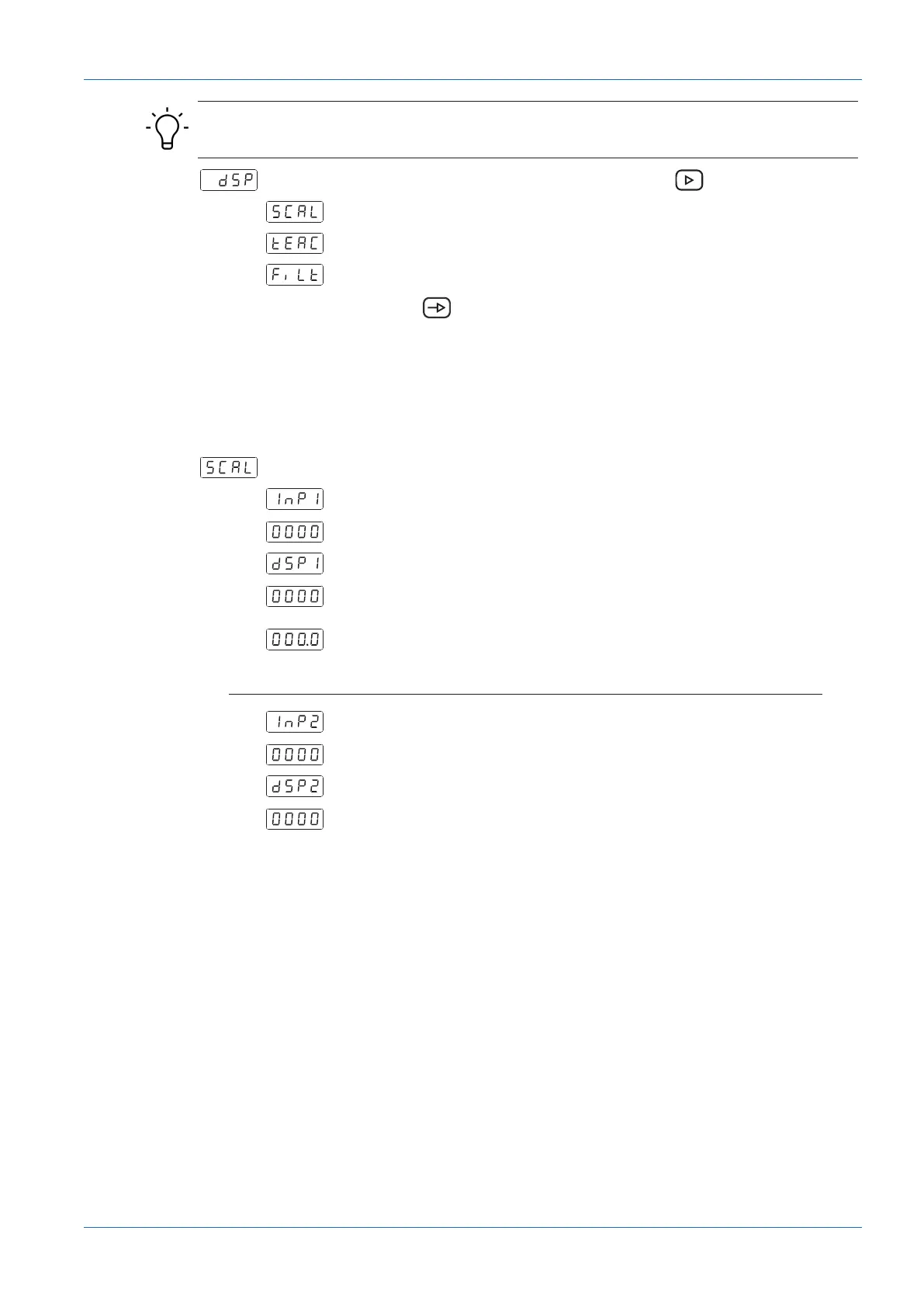
Select the parameter to be configured with button .
Scaling mode (teach-in using known support points)
Teach mode (teach-in using measured support points)
Display stabilization filter
Confirm with .
Scaling mode (teach-in using known support points)
Configuration of input and display values is done manually using the soft-touch keypad at the
process display. This method is appropriate if the sensor-supplied signal values are known at
each extreme point of the process.
First measured value
Input range at soft-touch keypad from -9999 to 9999
Display value for the first measured value
The value entered here will be displayed upon the input signal reaching the
first measured value. Ranging from -9999 to 9999
Decimal point dSP1
Positioning decimal point, applies to dSP1 and dSP2.
Second measured value
Keypad entries from -9999 to 9999.
Display value for the second measured value
The value entered here will be displayed upon the input signal reaching the
second measured value. Ranging from -9999 to 9999


 To Next Page