1-6
1. Product Information
Display and Operating Elements
0
2
4
6
8
10
12
14
16
18
20
22
24
26
28
30
100mA
10mA
1mA100µA
10µA
1µA
F1
F2
PGK
T / min
U
DC
U
max
B
0
20
4
0
6
0
8
0
1
0
0
U [kV]
I
0
0
0
a
b
c
d
e
f
i
k
n
o
g
h
m
l
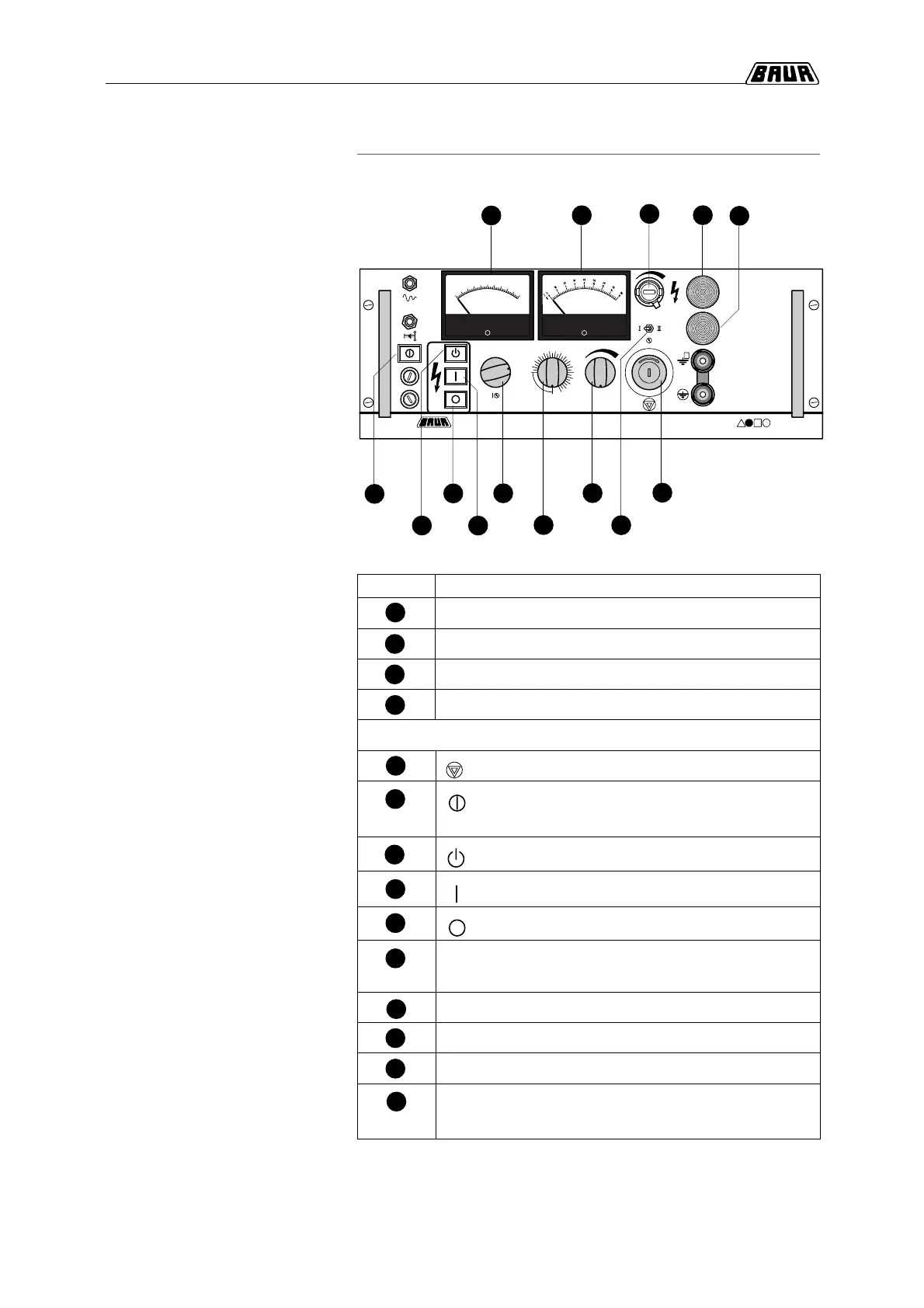
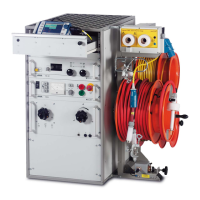
Control panel
PGK
Legend
Pos. Display elements
Amperemeter for indication of output current
Voltmeter for display of output voltage in kV
Signal lamp, red
Signal lamp, green
Operating elements
Emergeny-Stop push-button switch, lockable
Power ON/OFF push-button switch
(with Power On pilot lamp)
Ready for switching on H.V. push-button switch
High voltage clearing (with pilot lamp)
High voltage OFF
Current measuring range switch
(1µA/10µA/100µA/1mA/10mA/100mA)
Voltage measuring range switch I/II
Timer (0-30 minutes)
Voltage regulating knob for setting output voltage
Potentiometer for fine adjustment (with scale 0-999);
for output voltage limitation
a
b
c
d
e
f
g
h
i
k
l
m
n
o



 To Next Page