41
71.07144.01 - EN
INSTRUCTIONS FOR FITTERS
20. VISUALISATION OF PARAMETERS ON THE DISPLAY (“INFO” FUNCTION)
Press “i” for at least 5 seconds to visualise certain boiler information on the display on the front panel of the boiler.
•
Press buttons (+/-) to display the following information:
A00: current DHW temperature (°C);
A01: current external temperature (°C) (with external probe connected);
A02: instantaneous % value of the gas valve control signal ;
A03: power range (%) (MAX R);
A04: heating setpoint temperature (°C);
A05: current heating delivery temperature (°C);
A06: DHW temperature setpoint value (°C);
A07: not used;
A08: not used;
A09: last error that occurred in the boiler;
•
This function remains active for 3 minutes. It is possible to interrupt the “INFO” function in advance by holding down
the button ( ) for at least 5 seconds, or turning off the power to the boiler.
NOTE
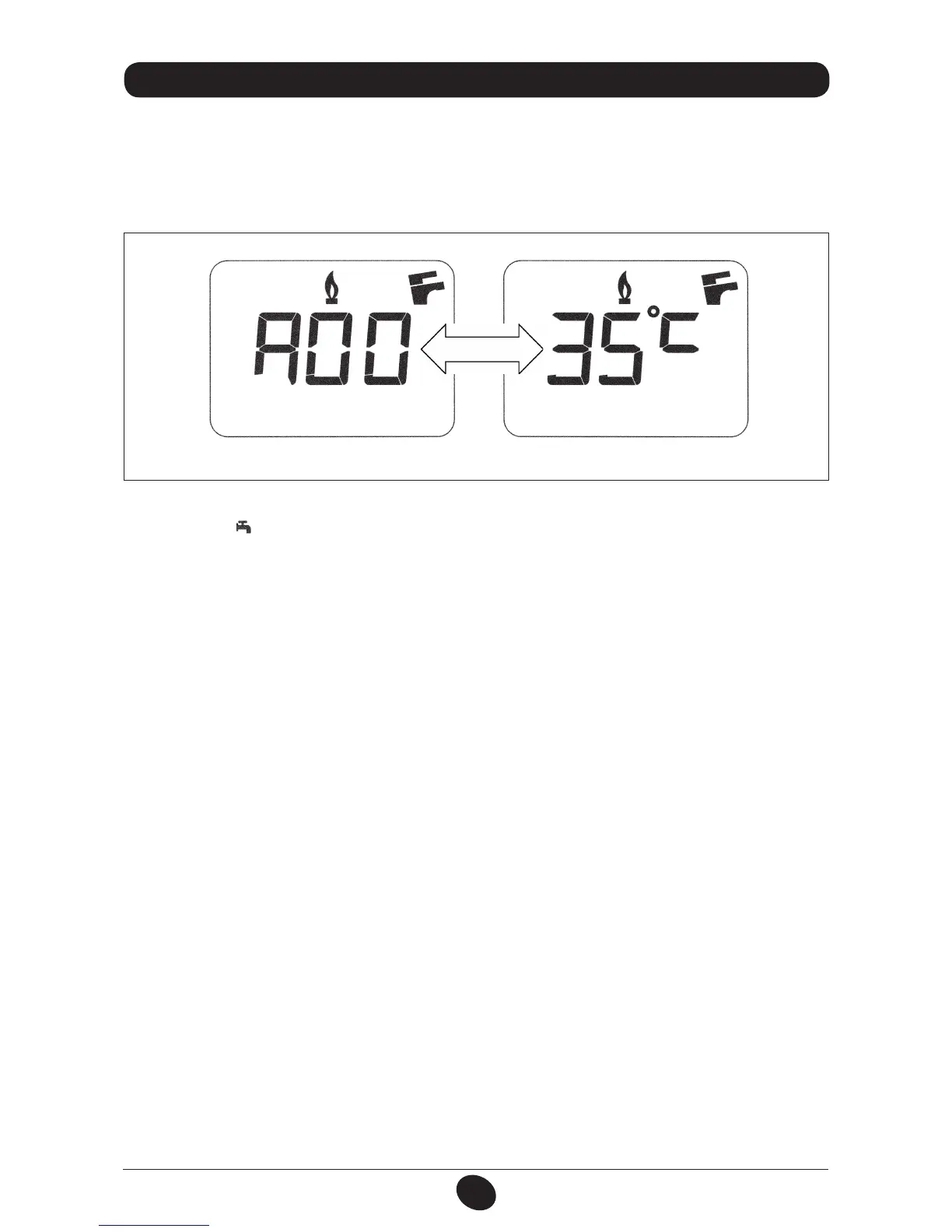
: when the “INFO” function is enabled, the message “A00”, alternating with the boiler delivery temperature,
is shown on the display (figure 12):
0605_2204 / CG_1808
Figure 12


 To Next Page
 Loading...