47
71.09161.01
en
6. PARAMETERS SETTING
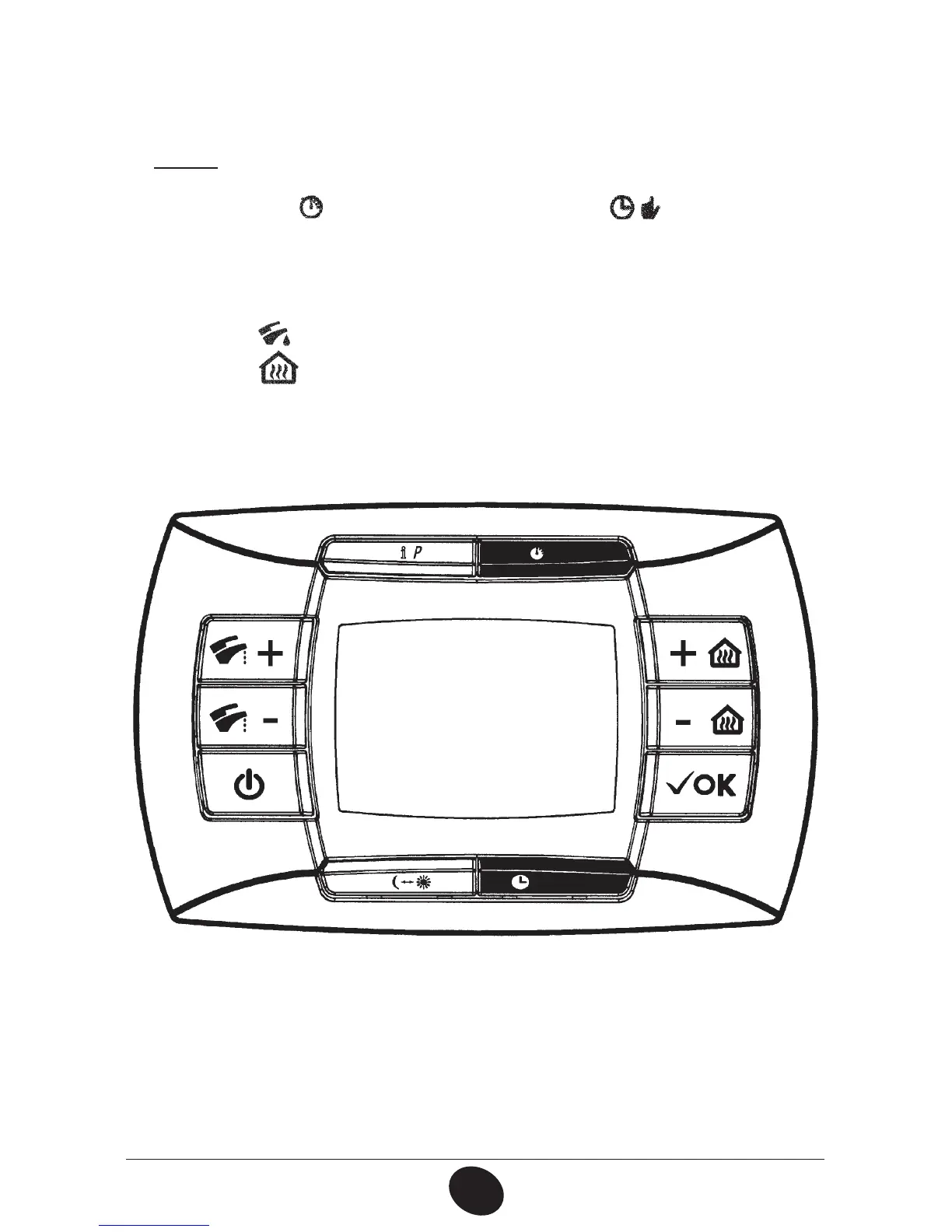
To access the Parameters setting mode proceed as follows:
rQSFTTGPSBUMFBTUTFDPOETUIF*1CVUUPO
rQSFTTàSTUUIF
button then press together the button.
When the function is activated, the display shows “F01” with the value of the
selected parameter.
1BSBNFUFSTTFUUJOH
r1SFTT+/-
CVUUPOTGPSTDSPMMJOHQBSBNFUFST
r1SFTT+/-
CVUUPOTUPDIBOHFUIFTJOHMFQBSBNFUFSWBMVF
/PUB: the value is automatic saved after about 3 seconds.
(Do not press any button until the value is beginning to ash again).
0712_1404


 To Previous Page