15
REV 0.9.5
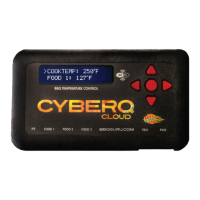
1. Apply power to the CyberQ Cloud Wi-Fi. The following will be displayed:
2. On a smartphone or tablet, go to Settings > Wi-Fi. Make sure Wi-Fi is set to
on, then select “HS-MY_CYBERQ_####”
On a PC go to the at the lower right.
On a Mac this is the at the top.
Select the“HS-MY_CYBERQ_####” as the network. If prompted for a pass-
word, use the default password: 1234abcdef
3. Once connected, the CyberQ
Cloud Wi-Fi will display:
4. Open a browser window and type 192.168.101.10 to load the CyberQ Cloud
Wi-Fi Controller pages. From this browser window, you can monitor and control
your cook and make changes to the setup of the controller. Be sure to close any
applications that require internet access when using Hot-spot mode.
When a smartphone is paired to the CyberQ Cloud in hot-spot mode,
it cannot receive emails because it is not connected to the Internet. You can
either use another device to control the CyberQ Cloud, or periodically turn off
Wi-Fi to allow emails to be received. Texts and phone calls work normally, as
they use cellular transmission.
If you will be using a CyberQ Cloud in close proximity to others (at a BBQ com-
petition, for example) having several units with an identical SSID and password
will cause them to interfere with each other. This is easily avoided by going to
the Wi-Fi setup page and changing the SSID from “my CyberQ Cloud Wi-Fi” to
something more personal, such as “Bob’s BBQ Team”. In addition, you should
change the security key. In hot-spot mode, the CyberQ Cloud uses WEP40 secu-
rity, with a 10-character key made up of number characters and letters from A
to F (case is not important), such as 12345abcde.
9. CONNECTING YOUR CYBERQ CLOUD TO YOUR
WIFI NETWORK
Your CyberQ Cloud ships in what is called HotSpot mode. This will allow you to
connect to it with a Wi-Fi enabled device, like a laptop or smartphone.
Some of the best features of your CyberQ Cloud require you to connect it to the
HOT-SPOT PAIRING
192.168.101.10
HOT-SPOT PAIRED!
192.168.101.10


 To Next Page